reMarkable Paper Pure vs reMarkable 2: Which Should You Buy?
reMarkable stopped making the reMarkable 2 in May, but it hasn’t gone anywhere. You can still buy one refurbished straight from reMarkable, some of them bundled with a keyboard that the brand-new Paper Pure can’t use at all. So which one should you actually get?
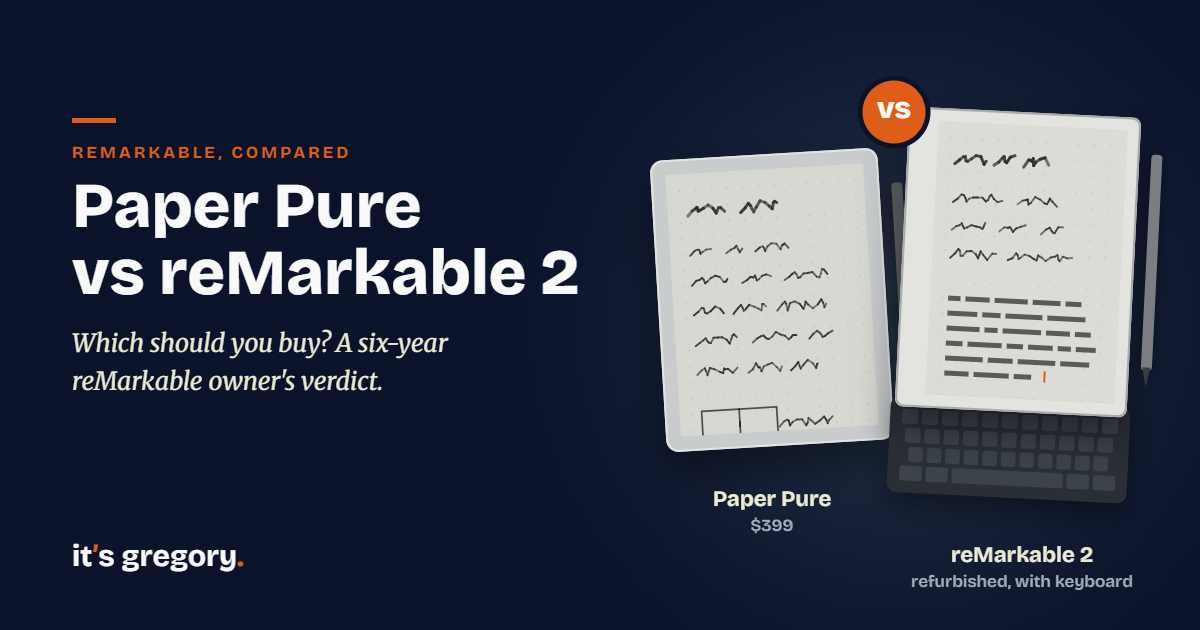
If you’re weighing the reMarkable Paper Pure vs reMarkable 2, here’s the short answer: for most people, buy the Paper Pure. It starts at $399, and for that you get a higher-contrast screen, four times the storage, an extra week of battery life and the model reMarkable now recommends. But don’t write off the reMarkable 2. If you want to type on a Type Folio keyboard, or you find one at a good price with the features you need, it’s still a tablet you can count on for years.
How can I be so sure? I’ve written on a reMarkable 1 nearly every day since 2020, and it holds my weekly plans, meeting notes, study notes, sketches and evening journal, all of which used to fill a shelf of paper notebooks. reMarkable officially discontinued that tablet years ago, and yet I still see new release notes on it regularly, because reMarkable keeps its software up to speed with every new release. That has genuinely delighted me. It’s also the best evidence I know that a discontinued reMarkable isn’t a dead end.
I’ve written on the Paper Pure too, and the first thing I noticed was how familiar it felt: it wrote just like my reMarkable 1. Below, I’ll walk you through what changed, what stayed the same, what you give up by switching, and who should still buy a reMarkable 2. If you’re new to these devices, start with what a paper tablet is. If you’re open to other brands, my guide to the best e-ink tablets compares the whole field. And if you’re torn between the Pure and its color sibling, I’ve also compared the Paper Pure vs Paper Pro.
Disclosure: Some links in this post are affiliate links. If you buy through them, I may earn a small commission at no extra cost to you. It never changes my picks.
Quick Answer: Paper Pure or reMarkable 2?
For most people shopping today, the Paper Pure is the better buy. At heart it’s the same kind of tablet, a 10.3-inch black-and-white writing slate with no apps, no browser and no notifications, but it’s faster, lighter, holds more and lasts longer on a charge.
There’s one big exception, and it’s the keyboard. If you want that same calm, black-and-white page but also like to type, the reMarkable 2 is the tablet for you, because it works with reMarkable’s Type Folio and the Paper Pure doesn’t support a keyboard at all. Don’t let the word “discontinued” scare you off, either. reMarkable keeps updating its retired tablets for years (my own reMarkable 1 is proof), so a reMarkable 2 bought today is still a tablet with a future.
Here’s how they compare on paper:
| reMarkable Paper Pure | reMarkable 2 | |
|---|---|---|
| Status | Current model (launched May 2026) | Discontinued May 2026; sold refurbished |
| Screen | 10.3″ black and white, 226 PPI | 10.3″ black and white, 226 PPI |
| Contrast | 20% higher than the reMarkable 2 | Baseline |
| Speed | Up to 50% faster | Baseline |
| Storage | 32 GB | 8 GB |
| Battery | Up to 3 weeks | Up to 2 weeks |
| Weight | 360 g (0.79 lb) | 403.5 g (0.88 lb) |
| Thickness | 6.0 mm | 4.7 mm |
| Front light | No | No |
| Keyboard | Not supported | Type Folio |
| Price | $399 with Marker; $499 with Marker Plus and Sleeve Folio | Refurbished from reMarkable from $349 (with folio) or $449 (with Type Folio); renewed on Amazon about $399 (with Marker Plus) |
The table tells most of the story. The Pure wins nearly every row, while the reMarkable 2 hangs on to just two: it’s thinner, and it works with a keyboard. So what exactly did reMarkable improve?
What Changed With the Paper Pure?
reMarkable kept the parts people loved and quietly fixed the parts that had aged. The screen is the same 10.3-inch size and the same 226 PPI resolution, but reMarkable says it has 20% higher contrast, which means darker lines on a whiter page. That matters more than it sounds. E-ink depends entirely on the light in your room, so a little extra contrast makes the page easier to read in a dim kitchen or on a cloudy afternoon.
Speed is the other big change. reMarkable says the Pure is 50% faster, which shows up in the everyday moments: opening a notebook, flipping pages and jumping between documents. If you’ve ever sat waiting on a heavy PDF to load on an older reMarkable, this is the upgrade you’ll appreciate most.
Storage jumps from 8 GB to 32 GB. Most people never fill 8 GB with handwriting alone, but PDFs and ePUBs add up fast, so the extra room is welcome if you read on your tablet. The battery improves too, rated at up to three weeks on a charge versus two weeks for the reMarkable 2, and it charges from empty to 90% in about 75 minutes.
A few changes you won’t see might matter just as much. The Pure adds full-disk encryption and secure boot, it’s held together with screws and snaps instead of glue so a repair specialist can swap most parts, and reMarkable says its carbon footprint is 45% lower than the reMarkable 2’s. Think of it as the same notebook, rebuilt to last.
What Didn’t Change (and the One Spec the reMarkable 2 Still Wins)
At heart, these two tablets do the same job the same way. Both have black-and-white screens with no front light, so you’ll need room light or daylight to write, just like with a paper notebook. Both open PDFs and ePUBs, convert handwriting to typed text, and sync with reMarkable’s phone and desktop apps. And both work with the optional Connect plan, though neither needs it to do its job.
But the reMarkable 2 does keep one bragging right: it’s thinner. It measures just 4.7 mm, compared with 6.0 mm for the Pure. The Pure makes up for that in other ways, since it’s 43 grams lighter and noticeably shorter (about 228 mm tall versus 246 mm) with the same size screen. A lighter, more compact tablet is easier to hold up in bed or carry around all day, and a millimeter or so of thickness is hard to notice once it’s tucked into a folio. I’d call that a fair trade.
What Does Writing on the Paper Pure Feel Like?
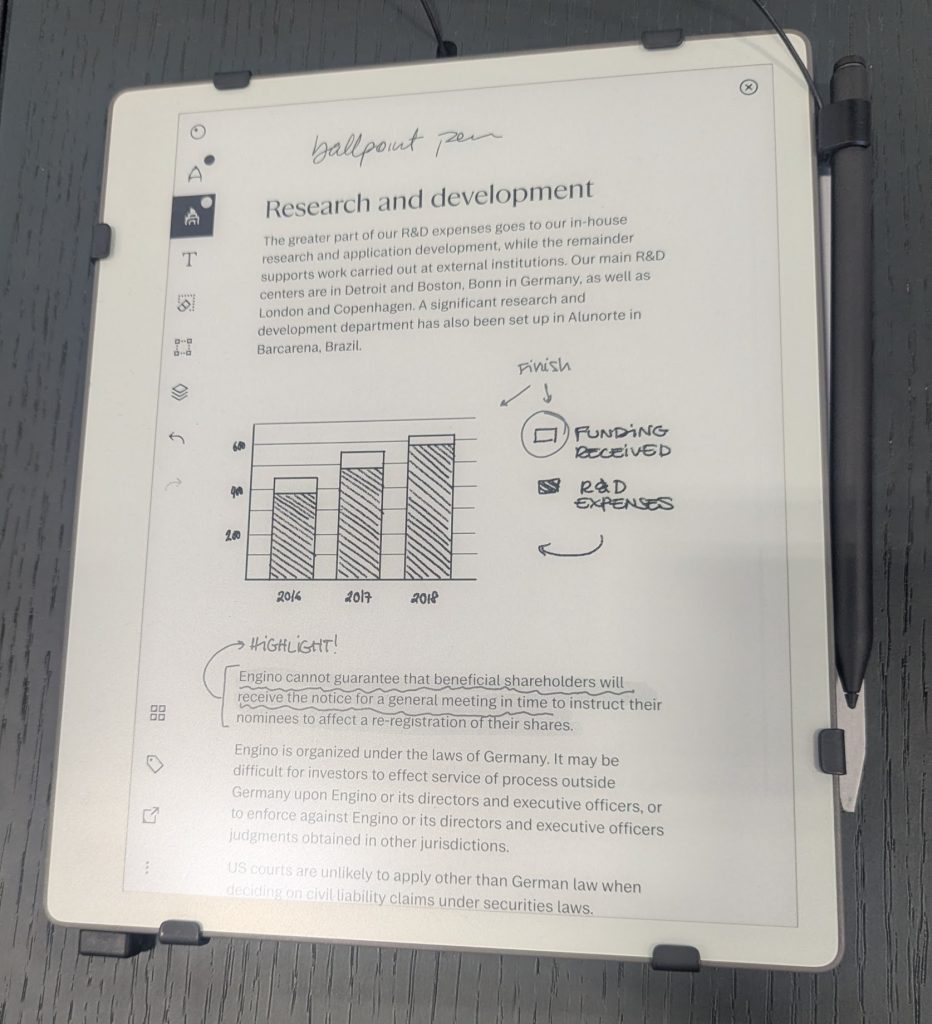
This is the part that matters most, and the Paper Pure gets it right. Writing on it felt just like writing on my reMarkable 1, which after six years of daily use is the highest compliment I can give a paper tablet. The pen has that same pencil-like feel, closer to graphite on paper than to a stylus on glass. reMarkable lists the writing latency at 21 milliseconds and the gap between the pen tip and the ink at less than a millimeter, which is why your lines seem to flow right out of the tip.
So what does that mean for you? If you’ve used an older reMarkable and liked it, you’ll feel right at home on the Pure. And if you’re brand new to e-ink, the Pure gives you the writing experience reMarkable built its name on, at the lowest price in the current lineup. There’s just no substitute for that pencil-on-paper feel!
Pens, Cases and Keyboards Don’t Carry Over
Here’s the catch for reMarkable 2 owners, and it’s an important one. Markers made for the reMarkable 2 don’t work with the Paper Pure, so if you upgrade, your old pen stays behind. The Pure comes with its own Marker, and the $499 bundle adds the Marker Plus (which has a built-in eraser) and a Sleeve Folio. Luckily, the Marker Plus also works on the Paper Pro and Paper Pro Move, so whatever pen you buy now can follow you to a future reMarkable.
Cases don’t carry over either. The Pure is a different size than the reMarkable 2, so it uses its own Sleeve Folio, which comes in four colors.
And then there’s the keyboard. The reMarkable 2 works with reMarkable’s Type Folio, a keyboard cover that lets you type notes right alongside your handwriting. The Paper Pure has no keyboard option at all, and in the current lineup only the Paper Pro has a Type Folio. So if you type on your reMarkable 2 every day, “upgrading” to the Pure would mean giving that up (not exactly an upgrade). And if you’re shopping fresh and love the idea of typing on a black-and-white reMarkable, the reMarkable 2 is your only option short of a Paper Pro, which costs $629 before you even add its keyboard.
Is the reMarkable 2 Still Worth Buying in 2026?
Yes, especially if you want a keyboard. Picture the buyer who wants exactly what the Paper Pure offers, a calm black-and-white page with no distractions, but who also likes to type meeting notes or drafts on a Type Folio. The Pure can’t do that. The reMarkable 2 can, for hundreds less than a Paper Pro with its keyboard. For that buyer, the fact that it’s discontinued shouldn’t be a deterrent at all.
Why am I so confident? Because of the tablet sitting on my desk. My reMarkable 1 was discontinued years ago, and it still gets software updates. I see new release notes on it regularly, and reMarkable has kept its software current with each new release, right down to features like searching my handwritten notes. Honestly, that surprised me. Most tech companies quietly stop supporting a device once its replacement ships, and reMarkable has done the opposite. It’s a beautiful thing.
reMarkable says the same commitment applies to the reMarkable 2: owners will keep getting regular software updates with new features, performance improvements and stability fixes, and the company still sells Markers, tips, folios and Type Folios for it. Given how my reMarkable 1 has been treated, I’d take that promise seriously. The longer reMarkable keeps this up, the more a “discontinued” label starts to look like a discount label.
So where do you buy one? The safest place is reMarkable’s own refurbished store. When I checked, refurbished reMarkable 2 bundles started at $349 with a Marker and a Book Folio, and $449 with a Marker and a Type Folio. Both carry the same one-year warranty as a new tablet, plus a 50-day satisfaction guarantee. That’s a great price for a keyboard-ready reMarkable, with one heads-up for US buyers: the English (US) keyboard layout of the Type Folio bundle was out of stock, so check availability before you set your heart on it.
You’ll also find the reMarkable 2 on Amazon Renewed. When I checked, a renewed reMarkable 2 with the Marker Plus (the one with the built-in eraser) was selling for about $399, backed by Amazon’s Renewed guarantee. That’s a handy option if you’d rather buy through Amazon, and it comes with the better of reMarkable’s two pens.
If you don’t need a keyboard, though, the math is simpler. That $399 renewed reMarkable 2 costs exactly the same as a brand-new Paper Pure, and the Pure gives you more speed, storage, battery and contrast for the same money. A $349 refurbished reMarkable 2 with a folio saves you a little, but not much compared to what you give up. So ask yourself a few quick questions. Do you want to type on your tablet? Is your budget firmly under $400? Do you already own reMarkable 2 Markers or folios? If you answered yes to any of them, a reMarkable 2 is still a great tablet, and I wouldn’t shy away from it. If not, the Paper Pure is the easy call.
Should You Upgrade From a reMarkable 2?
If yours is working well, probably not. The Pure is faster and holds more, but it doesn’t add a single new way to use the tablet: there’s still no front light and no color, and it even takes away the keyboard option. I’ve written on a reMarkable 1 for six years, an even older tablet, and it still does the core job every single day.
But what if your reMarkable 2 is wearing out, filling up or just feels sluggish with big PDFs? Then the Pure is a sensible, affordable replacement, as long as you don’t rely on a Type Folio. And if what you really want is to write at night or color-code your plans, skip the Pure and look at the Paper Pro instead. I’ve laid out exactly where the extra money goes in my Paper Pure vs Paper Pro comparison.
Frequently Asked Questions
Is the reMarkable Paper Pure the reMarkable 3?
Not by name, but it’s the reMarkable 2’s successor in practice. reMarkable discontinued the reMarkable 2 in May 2026 when the Paper Pure launched, and it now points reMarkable 2 shoppers to the Paper Pure as the current model to buy.
Why was the reMarkable 2 discontinued?
reMarkable retired the reMarkable 2 in May 2026 to make room for the Paper Pure. The Pure keeps the same screen size and black-and-white display while adding more speed, storage, contrast and battery life.
Will the reMarkable 2 still get software updates?
Yes. reMarkable says reMarkable 2 owners will keep receiving regular software updates, including new features, performance improvements and stability fixes. Its track record backs that up: my reMarkable 1, discontinued years ago, still gets regular updates.
Does the reMarkable Paper Pure work with a keyboard?
No. The Paper Pure doesn’t support reMarkable’s Type Folio or any other keyboard cover. If you want to type on a black-and-white reMarkable, the reMarkable 2 with its Type Folio is the way to go; in the current lineup, only the Paper Pro has a keyboard.
Can I use my reMarkable 2 pen on the Paper Pure?
No. Markers made for the reMarkable 2 don’t work with the Paper Pure, Paper Pro or Paper Pro Move. The Pure comes with its own Marker, and the Marker Plus works across all three current models.
Is the Paper Pure thinner than the reMarkable 2?
No. The reMarkable 2 is 4.7 mm thick and the Paper Pure is 6.0 mm. The Pure is lighter, though, at 360 grams versus 403.5 grams, and it’s shorter with the same size screen.
Do the Paper Pure and reMarkable 2 need a subscription?
No. Both work for writing, reading and converting handwriting to text without a subscription. reMarkable’s optional Connect plan ($3.99 a month) adds handwriting search, unlimited cloud storage and sync, and AI tools.
The Bottom Line
The Paper Pure keeps everything that made reMarkable’s writing experience special, the same experience I’ve relied on every day for six years, and it fixes the things that had started to show their age. For most people comparing the reMarkable Paper Pure vs reMarkable 2, it’s the one to buy.
But if you want that same black-and-white page with a keyboard, or a refurbished reMarkable 2 fits your budget better, don’t let “discontinued” stop you. If my reMarkable 1 is any guide, it’ll keep getting better long after it leaves the shelves. So pick the one that fits how you work. Then start writing! And if you’d like to see how both stack up against Kindle, Boox and Supernote first, my guide to the best e-ink tablets has you covered. You just might find that the best reMarkable for you isn’t the newest one.
Sources
I checked specs, prices and support details against reMarkable’s own pages in October 2026. Hands-on impressions come from six years with my reMarkable 1 and my own time writing on the Paper Pure.
- reMarkable: Paper Pure vs. reMarkable 2 differences
- reMarkable Paper Pure product page
- reMarkable Paper Pure specs and comparison
- reMarkable Paper Pure bundles and pricing
- reMarkable 2 product page (discontinued notice, specs and software support)
- reMarkable certified refurbished reMarkable 2
- reMarkable: Which reMarkable is right for you?
- reMarkable Connect pricing and plans