Kindle Scribe vs reMarkable: A reMarkable Owner’s Verdict
I’ve written on a reMarkable almost every day since 2020: weekly plans, meeting notes, study notes, rough sketches and the evening journal. So when I spent an afternoon at Best Buy trying the newest paper tablets side by side, I expected to walk out more loyal than ever. Instead, I walked out wanting a Kindle Scribe Colorsoft. That was not the plan!
If you’re weighing the Kindle Scribe vs reMarkable, here’s the short answer. The Kindle Scribe is the better choice for most people, and it’s an easy call if you read Kindle books, want a front light, or like the idea of reading and writing on one device. reMarkable is still the pick for people who mostly write, love a textured, pencil-on-paper feel, and want a tablet that does one thing with no distractions. Both are excellent, and neither is a bad buy, which is exactly why the choice is hard.
I’ve owned a reMarkable 1 for six years, and in September 2026 I tested the Kindle Scribe Colorsoft, reMarkable Paper Pro, Paper Pro Move and Paper Pure in person at Best Buy. Below, I’ll compare them on the things you’ll notice every day: how writing feels, color, reading, finding your notes, light and size, and what you’ll actually pay. If you’re still deciding whether you want a paper tablet at all, start with my beginner’s guide to paper tablets, and if you want to see every option beyond these two brands, my roundup of the best e-ink tablets covers seven of them.
Disclosure: Some links in this post may be affiliate links. If you buy through them, I may earn a small commission at no extra cost to you. It never changes my picks.
Kindle Scribe vs reMarkable: The Quick Answer
If you only read one section, make it this one. Each brand now sells three models, and they line up neatly by price, so the fairest way to compare them is black and white against black and white, and color against color.
- Best for most people: Kindle Scribe (about $500). It has a front light, reads your whole Kindle library, and costs about the same as a reMarkable once you count the subscription.
- Best color tablet: Kindle Scribe Colorsoft (about $630). The color looked brighter and responded faster than the Paper Pro’s in my hands-on time, and it costs about $50 less.
- Best for writing purists: reMarkable Paper Pure (about $400). It’s the cheapest way into the reMarkable world, and it keeps the textured, pencil-like writing feel that made the brand famous.
- Skip if: You read in bed at night and are looking at the Paper Pure or the Kindle Scribe without a front light. Neither has a light.
| Kindle Scribe (no light) | Kindle Scribe | Kindle Scribe Colorsoft | reMarkable Paper Pure | reMarkable Paper Pro | reMarkable Paper Pro Move | |
|---|---|---|---|---|---|---|
| Price (approx.) | ~$430 | ~$500 | ~$630 | ~$400 | ~$680 | ~$450 |
| Screen | 11″ black and white | 11″ black and white | 11″ color | 10.3″ black and white | 11.8″ color | 7.3″ color |
| Front light | No | Yes | Yes | No | Yes | Yes |
| Storage | 16 GB | 32 GB (or 64 GB) | 32 GB (or 64 GB) | 32 GB | 64 GB | 64 GB |
| Writing latency | Not published | Not published | Not published | 21 ms | 12 ms | 12 ms |
| Battery (writing) | Up to 3 weeks | Up to 3 weeks | Up to 2 weeks | Up to 3 weeks | Up to 2 weeks | Up to 2 weeks |
| Pen included | Yes | Yes | Yes | Yes (Marker) | Yes (Marker) | Yes (Marker) |
| Reads Kindle books | Yes | Yes | Yes | No | No | No |
| Subscription for full features | No | No | No | Connect, $3.99/mo | Connect, $3.99/mo | Connect, $3.99/mo |
So which models are we actually comparing?
Which Kindle Scribe and reMarkable Models Are We Comparing?
Both lineups changed a lot in the past year, so a comparison from even twelve months ago will point you at devices you can’t buy new anymore.
On the Amazon side, the Kindle Scribe was redesigned around a larger 11-inch screen and a much thinner body, and it now comes in three versions: one without a front light (about $430), the standard model with a front light (about $500), and the Colorsoft with a color screen (about $630). All three share the same size, the same pen and the same note-taking software, so the real question inside the Kindle family is simply whether you want a light and whether you want color. The older 10.2-inch Scribe still turns up on sale, but I’d put your money toward the new one.
On the reMarkable side, the big news is that the reMarkable 2 is gone. reMarkable discontinued it in May 2026 and replaced it with the Paper Pure, a roughly $400 black-and-white tablet with a 10.3-inch screen, a faster processor and a longer battery. Above it sit the Paper Pro (about $680), an 11.8-inch color tablet with a front light, and the Paper Pro Move (about $450), a pocket-sized 7.3-inch version of the Pro. Every current reMarkable uses the same Marker pens, so you can move between models without buying new accessories.
That leaves two clean matchups: the Kindle Scribe against the Paper Pure for black-and-white writing, and the Kindle Scribe Colorsoft against the Paper Pro for color. The biggest difference between them, though, isn’t on any spec sheet. It’s how they feel under the pen.
Writing Feel: Pencil vs Marker
The easiest way I can describe it is this: writing on a reMarkable feels like writing with a pencil, and writing on the Kindle Scribe feels like drawing with a marker. Neither one is better. They’re just different, and which one you’ll love depends on how you like to write.
The reMarkable’s screen has a slightly rough, papery texture, and you can feel a little bit of drag as the pen tip moves across it. After six years, that drag is part of why my reMarkable feels like a notebook and not a gadget. It slows my handwriting down just enough to keep it neat, and it has that faint scratch you get from pencil on paper. The trade-off is that the texture chews through pen nibs. I replace mine every few months, and I use each one until it’s nearly gone.
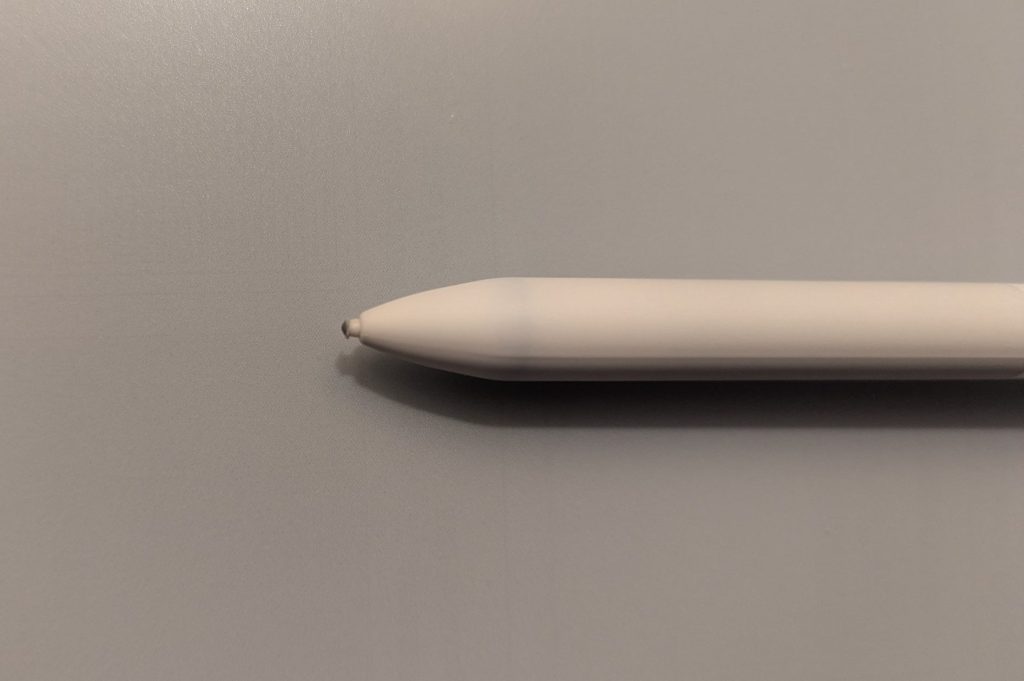
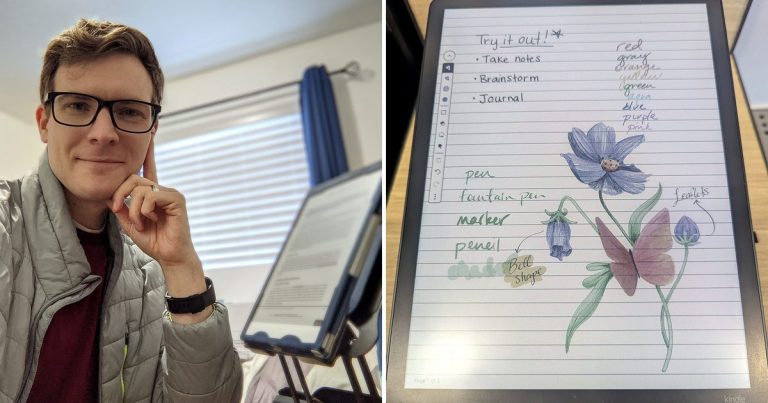
The Kindle Scribe Colorsoft felt noticeably smoother in my hands at Best Buy. The pen glided more, like a felt-tip marker on good paper, and my strokes came out more fluid. It’s worth being clear about what smooth means here, though. It is not the slick, skating feel of writing on a phone or an iPad screen with a stylus. There’s still some grip and some give, and the whole thing still feels like a quiet, organic piece of technology in your hands. I think that balance is exactly what Amazon got right. Any smoother and it would lose the paper feeling that makes these devices worth buying in the first place.
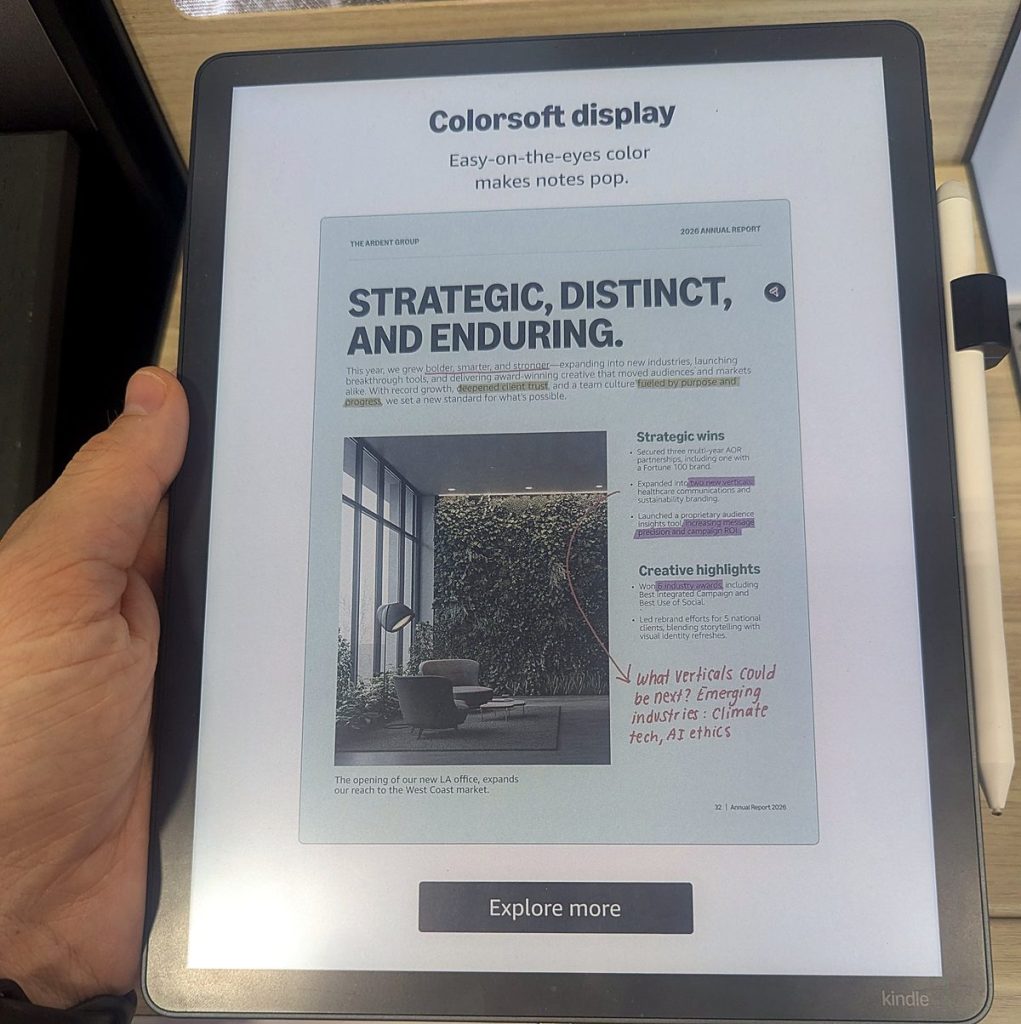
Here’s something that surprised me when I looked it up: both screens are actually glass. reMarkable uses a textured glass cover, and Amazon says it molded texture into the Scribe’s glass specifically to add friction so the pen doesn’t feel slippery. So the difference you feel isn’t glass versus paper. It’s how much texture each company decided to give you, and reMarkable simply chose more.
Speed is close enough that most people won’t notice a difference. reMarkable rates the Paper Pro and Paper Pro Move at 12 milliseconds of writing latency and the Paper Pure at 21, while Amazon doesn’t publish a number and says only that the new Scribe is 40% faster for writing and page turns than the last one. In practice, ink appeared under the pen tip right away on every device I tried.
So which should you pick? If you love the scratch of a pencil and want your tablet to feel as close to a paper notebook as possible, reMarkable still does that better than anyone. If you’d rather your pen glide, the Kindle Scribe will feel like a treat. I was so taken with the smoother feel that I’d switch today, though I’ll admit that after a while I might start to miss the pencil texture I’ve gotten used to. It’s hard to say. And that’s a real trade-off, not a dealbreaker.
Color: Kindle Scribe Colorsoft vs reMarkable Paper Pro
If color matters to you, this is where the Kindle pulled furthest ahead in my testing.
Both color tablets use color e-ink, which will always look softer and more muted than a phone or iPad screen. That’s the nature of the technology, and it’s the price you pay for a screen that’s easy on your eyes and lasts weeks on a charge. Within that limit, though, the two felt very different. On the Paper Pro, color strokes seemed to lag a beat behind the pen before they filled in, and the colors themselves looked faint enough that I wasn’t sure they added much. On the Kindle Scribe Colorsoft, color showed up as fast as black ink did, and the colors looked richer and truer. They were honestly beautiful.
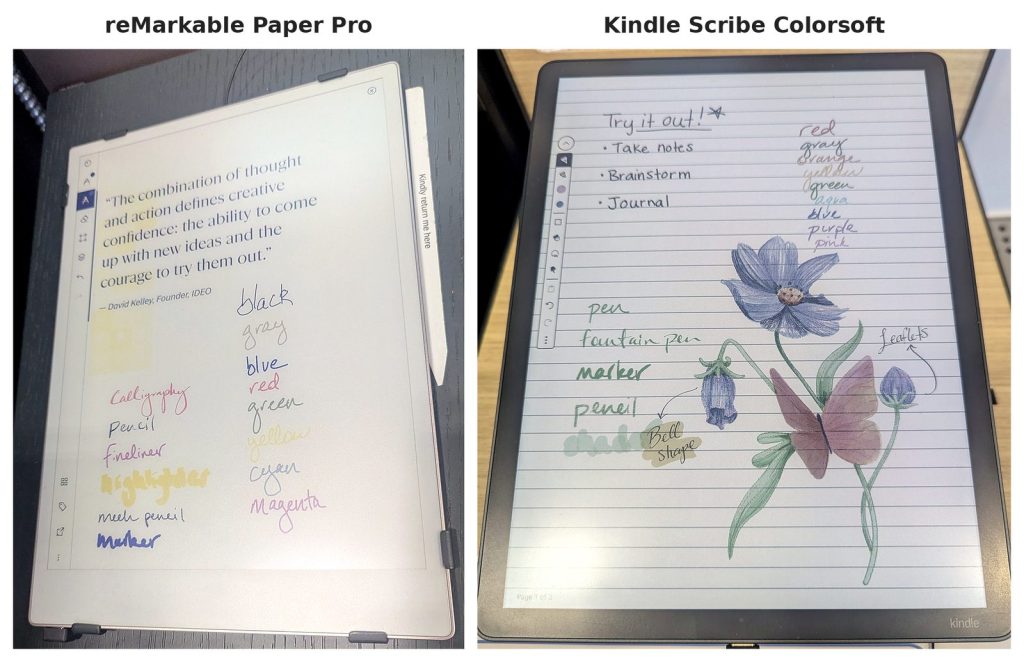
Should color decide it for you? For a lot of people, probably not. In six years on my black-and-white reMarkable, the only time I’ve missed color is when I highlight, because highlights show up as gray, and I don’t highlight much. If you color-code notes, mark up textbooks or sketch, color is worth paying for. If you mostly write in black, the standard Kindle Scribe or the Paper Pure does the same job for less.
But if you’re going to pay for color anyway, the Colorsoft is about $50 cheaper than the Paper Pro, and it’s the one I’d buy.
Reading: Where the Kindle Scribe Pulls Ahead
This is the section that made my decision, and it might make yours too.
I read almost exclusively Kindle books. And that has always been the one real downside of my reMarkable: it can’t open them. A reMarkable reads PDFs and ePUBs that you download and send to it, which works fine for documents and DRM-free books, but it can’t open anything you’ve bought in the Kindle store. So for six years I’ve carried two devices, one for reading and one for writing, and I’ve never been able to scribble a note next to a passage in the book I’m actually reading.
The Kindle Scribe fixes that. It’s a full Kindle, so your entire library is there, along with the Kindle store and Send to Kindle for your own documents and PDFs. If you have a US library card, you can even borrow most library ebooks through the Libby app and send them straight to the Scribe. Being able to read and write on the same device is the feature I’d pay for, and it’s the one no reMarkable can match.
The front light matters here, too. The standard Kindle Scribe and the Colorsoft both have one, so you can read in bed without a lamp. So do the Paper Pro and the Paper Pro Move, but the Paper Pure does not, and neither does the cheapest Kindle Scribe.
If you read on a Kindle today, you already have your answer. If you don’t read ebooks much, or you get your books as PDFs and ePUBs, the reMarkable gives up nothing here. So what happens after you’ve written a few hundred pages and need to find something?
Finding Your Notes: Search, Templates and AI Tools
Both brands have gotten much better at the part of note-taking that paper can’t do: finding what you wrote.
On my reMarkable, search has improved over the years to the point where it now searches my handwritten notes, not just notebook titles or typed text. It was a genuine delight the first time I searched a word and watched it pull up a page I’d scribbled months earlier. One thing to know before you buy, though: handwriting search is part of reMarkable’s Connect subscription. I have it free for life because I bought my reMarkable early, back when the company offered that to its first customers, but new buyers pay $3.99 a month or $39.90 a year after a 50-day free trial. Turning a page of handwriting into typed text works on the tablet without a subscription, but searching across all your handwritten notebooks does not.
reMarkable is also strong on structure. It has a big set of built-in templates (lined, grid, planners and more), you can add your own, and the software is famously focused. There’s no web browser, no app store and nothing to tempt you away from the page.
Amazon has put its effort into AI tools. Amazon says the new Kindle Scribe lets you search your notebooks in plain language, get short AI summaries of what you wrote and ask follow-up questions. It can also export notes to OneNote as typed text, pull in documents from Google Drive and OneDrive for markup, and (in the US) send notes to Alexa+ to talk them through. I didn’t try these features at Best Buy, so I can only tell you what Amazon says they do. On paper, though, they cover the same “find it later” job as reMarkable’s handwriting search, and they come with the tablet rather than a subscription.
If you’re a knowledge worker or a student who writes a lot and needs to find it again, both will serve you well. reMarkable feels more like a well-organized notebook, while the Kindle Scribe leans on AI to organize for you.
Front Light, Size and Battery
A few practical details can quietly make or break how much you use a tablet.
Front light. I don’t have one on my reMarkable 1, and it’s the thing I miss most, because I can’t write or read at night without turning on a lamp. If I were buying today, a front light would be a must. That rules out the Paper Pure and the Kindle Scribe without a front light, and it points you to the standard Kindle Scribe, the Colorsoft or the Paper Pro.
Size. The Kindle Scribe’s 11-inch screen, the Paper Pure’s 10.3 inches and the Paper Pro’s 11.8 inches are all close to a sheet of notebook paper, which is the sweet spot for real writing. The Paper Pro Move is the outlier at 7.3 inches. I held one at Best Buy and found it too small to be useful. At that size, I’d just grab my phone.
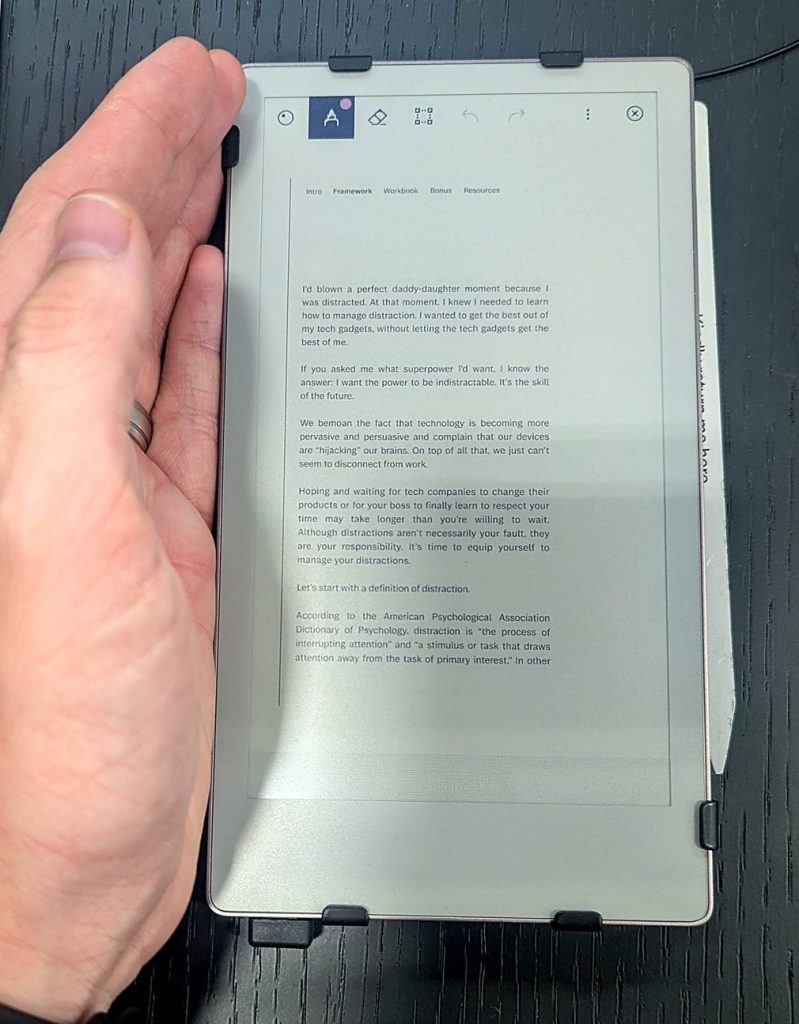
Battery. Both brands measure battery life in weeks, not hours, so you’ll charge either one far less often than your phone. reMarkable rates the Paper Pure at up to three weeks and the Paper Pro and Paper Pro Move at up to two. Amazon rates the black-and-white Scribe at up to three weeks of writing (or about 12 weeks of reading) at half an hour a day, and the Colorsoft at about two weeks of writing, since color costs a little battery. Either way, this won’t be the deciding factor.
Price and Subscriptions: What You’ll Really Pay
Sticker prices make these two look further apart than they are.
The Paper Pure is the cheapest tablet here at about $400, and it includes a Marker pen. Every Kindle Scribe includes its pen too, so neither brand makes you buy the pen separately at the entry level. The difference shows up after checkout. If you want handwriting search and unlimited cloud sync on a reMarkable, Connect adds about $40 a year on the annual plan, or roughly $120 over three years. The Kindle Scribe doesn’t need a subscription for its note features.
Here’s what that looks like over three years of owning each one:
| Device | Price (approx.) | Connect (3 years, annual plan) | 3-year total |
|---|---|---|---|
| reMarkable Paper Pure | ~$400 | ~$120 | ~$520 |
| Kindle Scribe (front light) | ~$500 | $0 | ~$500 |
| reMarkable Paper Pro | ~$680 | ~$120 | ~$800 |
| Kindle Scribe Colorsoft | ~$630 | $0 | ~$630 |
You can use a reMarkable without Connect, and plenty of people do. If you mostly write in a few notebooks and back them up yourself, you may never miss it. But if search is part of why you want a digital notebook, count the subscription in the price. Once you do, the front-lit Kindle Scribe costs about the same as the Paper Pure and gives you a light and your Kindle library.
Kindle Scribe vs reMarkable 2: Should You Buy a Refurbished One?
A lot of people still search for the Kindle Scribe vs reMarkable 2, and it’s a fair question, because the reMarkable 2 is still around. reMarkable stopped selling it new in May 2026, but you can still buy one refurbished from reMarkable’s own store, bundled with a new pen and folio, or used from resale sites for less.
My advice is to skip it unless you find a great used deal. reMarkable’s refurbished bundles start at about the same price as a brand-new Paper Pure, and the Paper Pure replaces it at the same launch price (about $400) with a faster processor, a longer battery and a design that’s easier to repair, and the reMarkable 2 uses older pens that don’t work with the newer tablets. If you want a reMarkable, the Paper Pure is the better buy. If you were drawn to the reMarkable 2 for its price, the standard Kindle Scribe is worth the extra hundred dollars for the front light alone.
Which Should You Buy?
After six years with a reMarkable and an afternoon with both brands, here’s how I’d decide.
Choose the Kindle Scribe if:
- You read Kindle books and want to read and write on one device
- You want a front light for reading or writing at night
- You like a smoother, marker-like writing feel
- You want color that’s fast and vivid (the Colorsoft)
- You’d rather not pay a monthly subscription for search
Choose reMarkable if:
- You mostly write, and reading isn’t a big part of how you’ll use it
- You love the textured, pencil-on-paper feel
- You read PDFs and ePUBs rather than Kindle books
- You want the most distraction-free tablet you can buy
- You want the lowest upfront price (the Paper Pure at about $400)
As for me, I’d buy the Kindle Scribe Colorsoft. The smoother writing, the beautiful color and the chance to finally read and write on the same device won me over. I’ll probably miss my pencil now and then. That’s a trade I’m happy to make.
Frequently Asked Questions
Is the Kindle Scribe as good as reMarkable?
Yes, and for many people it’s better. The Kindle Scribe matches reMarkable on writing and adds Kindle books, a front light on most models and AI note tools. reMarkable still wins on its textured, pencil-like writing feel and its distraction-free design.
Which is better, the Kindle Scribe or the reMarkable Paper Pure?
The standard Kindle Scribe is better for most people because it has a front light and reads Kindle books, for about $100 more. The Paper Pure is better if you want the lowest price and a pencil-on-paper writing feel, and you don’t read at night.
Does reMarkable require a subscription?
No. A reMarkable works without a subscription, and you can write, read PDFs and convert handwriting to text for free. reMarkable Connect ($3.99 a month or $39.90 a year) adds handwriting search, unlimited cloud sync and extra tools, with a 50-day free trial.
Can you read Kindle books on a reMarkable?
No. A reMarkable can open PDFs and ePUBs you add yourself, but it can’t open books bought from the Kindle store. If you read Kindle books, the Kindle Scribe is the only paper tablet that lets you read and write on the same device.
Does the Kindle Scribe have a front light?
The standard Kindle Scribe and the Kindle Scribe Colorsoft both have front lights. The cheapest model, the Kindle Scribe without a front light, does not, so you’ll need a lamp to use it in the dark.
The Bottom Line
I went to Best Buy expecting to confirm that my reMarkable was still the best paper tablet for me, and I left ready to switch. The reMarkable still feels like writing with a pencil, and I love that. But the Kindle Scribe feels like drawing with a marker, adds color I actually wanted, and lets me read my books in the same place I write. For most people, that’s the better deal.
If you want to see how these two stack up against Boox, Supernote and Kobo, check out my full guide to the best e-ink tablets. You just might find that the best notebook you’ll ever own is also your favorite book.
Sources
I checked specs, prices and features against the makers’ own pages. Hands-on impressions come from my own reMarkable and my Best Buy visit.
- Amazon: redesigned Kindle Scribe lineup announcement
- Amazon: Kindle Scribe product page
- Amazon: Kindle Scribe Colorsoft product page
- reMarkable tablet comparison (specs, latency, battery and storage)
- reMarkable Paper Pure product page
- reMarkable 2 product page (discontinued)
- reMarkable Connect pricing
- reMarkable Support: About Connect
- Libby Help: reading library books on a Kindle