reMarkable Paper Pure vs Pro: Is Color Worth $230?
I’ve written on a reMarkable almost every day for six years: weekly plans, meeting notes, study notes, rough sketches, morning thoughts and an evening journal. In all that time, I’ve missed color in exactly one situation, when I highlight a PDF and the highlight comes out gray. I’ve missed having a light far more often. Those two wishes, color and light, are really what the choice between reMarkable’s two full-size tablets comes down to.
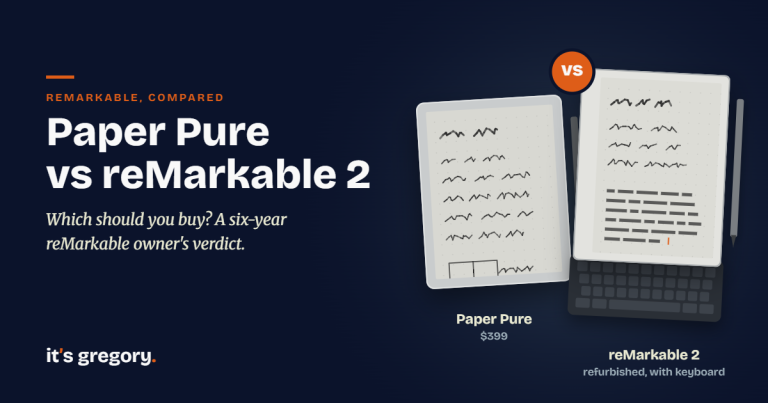
If you’re comparing the reMarkable Paper Pure vs Pro, here’s the short answer. For most people, the $399 Paper Pure is the better buy. It writes beautifully, weighs about a third less, lasts up to a week longer on a charge and costs $230 less. The Paper Pro is worth the extra money for one group of people: those who need a front light to write at night, who color-code their notes or mark up large PDFs for a living, or who want to snap on a keyboard. Color sounds like the big reason to pay more, but after writing on both, I think the front light makes the better case.
This is a fresh decision, too. reMarkable discontinued the reMarkable 2 in May 2026 and replaced it with the Paper Pure, so this is now the main choice anyone buying a full-size reMarkable has to make. More people are searching for this comparison now than when the Pure launched, and a lot of what you’ll find online still compares the Pro with a tablet you can’t buy new anymore.
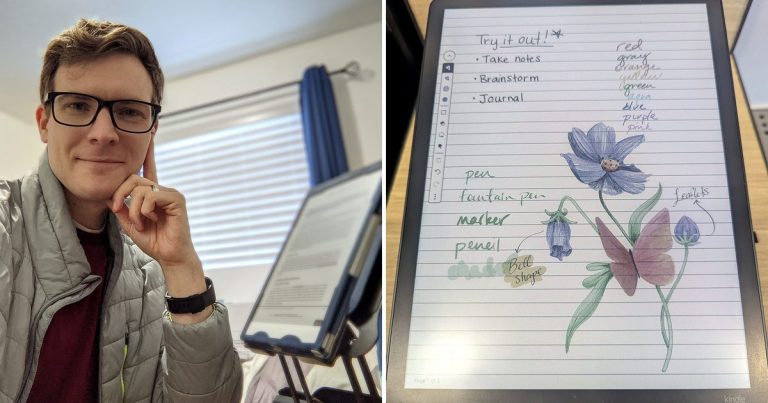
My reMarkable 1 has been my daily notebook since 2020, and it’s the same 10.3-inch, black-and-white, no-light design the Paper Pure builds on, so I know that side of this comparison well. I’ve also written on both new models, including the Paper Pro’s color screen. Where I’m relying on reMarkable’s specs instead of my own time with a tablet, I’ll say so. If you’re new to all this, my beginner’s guide to paper tablets explains how they work, my roundup of the best e-ink tablets compares seven of them, and my Kindle Scribe vs reMarkable comparison and reMarkable vs iPad guide cover the two other choices people weigh most.
Disclosure: Some links in this post may be affiliate links. If you buy through them, I may earn a small commission at no extra cost to you. It never changes my picks.
Paper Pure vs Paper Pro: The Quick Answer
If you only read one section, make it this one.
- Choose the reMarkable Paper Pure ($399) if you mostly write and read in decent light, you want the lightest and longest-lasting reMarkable, and black and white is fine for your notes.
- Choose the reMarkable Paper Pro (from $629) if you write in the evening or in dim rooms, you rely on color for highlighting or diagrams, you review a lot of full-page PDFs, or you want the Type Folio keyboard.
| reMarkable Paper Pure | reMarkable Paper Pro | |
|---|---|---|
| Price | $399 with Marker; $449 bundle with Marker Plus and Sleeve Folio | From $629 with Marker; $679 with Marker Plus |
| Screen | 10.3″ black-and-white Canvas display | 11.8″ Canvas Color display (20,000 colors) |
| Resolution | 1872 x 1404 (226 PPI) | 2160 x 1620 (229 PPI) |
| Front light | No | Yes, adjustable |
| Weight | 360 g (0.79 lb) | 525 g (1.16 lb) |
| Thickness | 6.0 mm | 5.1 mm |
| Size | 8.9 x 7.4 in | 10.8 x 7.8 in |
| Battery | Up to 3 weeks | Up to 2 weeks |
| Writing latency | 21 ms | 12 ms |
| Storage | 32 GB | 64 GB |
| Keyboard support | No | Yes (Type Folio, $229) |
| Connect subscription | Optional, $3.99/mo | Optional, $3.99/mo |
List prices from reMarkable.com, September 2026. reMarkable rates the Pure’s battery at one hour of note-taking a day and the Pro’s at two hours a day, five days a week. Prices change, so tap “Check Price” for today’s price. On phones, this table scrolls sideways.
So how different are they to actually write on?
Writing Feel: Closer Than You’d Think
Both tablets use the same idea that made me fall for my reMarkable 1: a matte glass screen with a texture that grips the pen tip the way paper grips a pencil. You get that quiet, slightly scratchy feel on both, and neither one feels like writing on a phone.
The specs split in an interesting way. The Paper Pro is faster, with 12 milliseconds of writing latency compared with the Pure’s 21, so ink appears a hair quicker behind your pen in black. But the Pure’s ink sits closer to the pen tip (0.84 mm from tip to line versus 0.92 mm on the Pro), because there’s no color layer or front light between the glass and the ink. In practice, both numbers are small enough that most people won’t feel the difference when writing in black.
That matches six years of writing on a reMarkable 1. The Paper Pure writes exactly like it, with the same pencil-on-paper drag I’ve relied on since 2020, and in black ink the Pure and the Pro felt the same to me. If you already like how a reMarkable writes, you’ll like either one.
Where they really differed for me was color, which brings us to the big question.
Is Color Worth It?
This is the reason most people consider the Pro, and it deserves a straight answer: for me, it wasn’t worth it, but it can be for you.
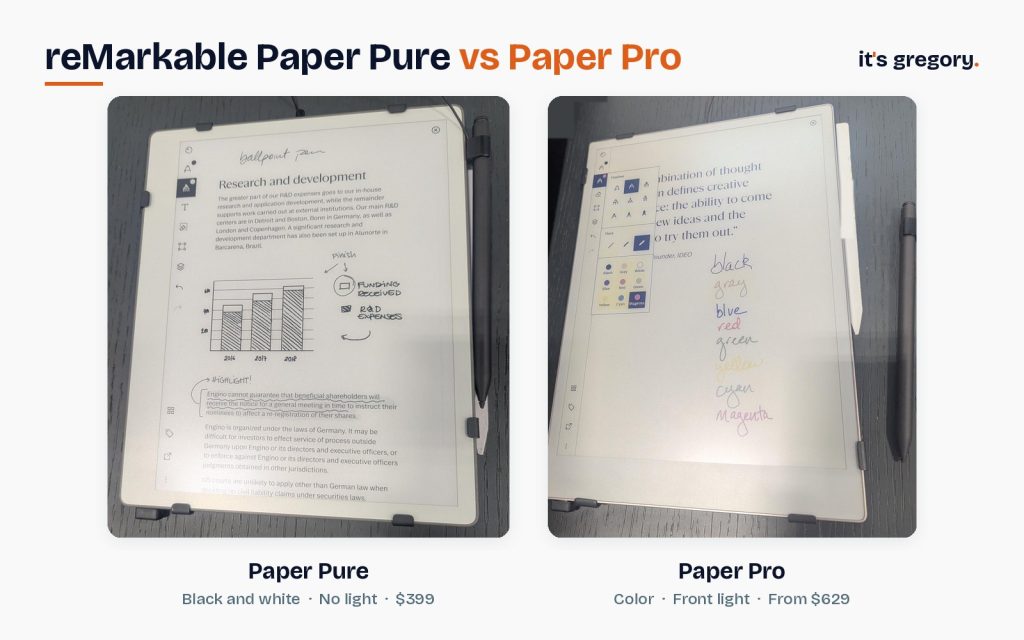
The Paper Pro’s Canvas Color screen shows up to 20,000 colors. They’re soft, muted colors, closer to colored pencils on paper than to anything on a phone or iPad, and that’s by design. The catch is how color e-ink works. A color screen has to move several colors of ink particles into place, which takes longer than drawing plain black, and on the Pro you can see it happen. When I wrote in color, each stroke first appeared in a different shade, and that shade changed depending on which color I’d picked. Sometimes it was close to the opposite of the color I chose, and then it settled into the right one a moment later. After years of black ink that appears right under the pen tip, it was honestly a little trippy, and it pulled my attention off what I was writing and onto the screen itself. The finished colors were pleasant, but they didn’t add enough to make up for that.
It helps to think about how often you’d actually reach for color. As I said up top, the only time I’ve missed it is highlighting PDFs, and I don’t highlight much. My notes, plans and journal entries have never needed a second color.
So who should pay for it? Color earns its keep if you:
- Color-code notes, calendars or project plans and rely on that coding to find things
- Mark up PDFs, slides or designs where highlights need to stand out
- Draw diagrams, mind maps or sketches where color carries meaning
- Review documents that were made in color, like charts and annotated drafts
If none of those sound like your week, the Pure’s black-and-white page is all you need. reMarkable says its display has 20% more contrast than the reMarkable 2’s, so black ink should look as crisp as it ever has on a reMarkable.
But color isn’t the only thing the Pro adds. The other one matters more to me.
The Front Light: The Pro’s Best Argument
The Paper Pure has no light of any kind. Like paper, it needs a lamp or daylight, and reMarkable says that’s on purpose. The Paper Pro has an adjustable front light that shines softly across the page, so you can read and write in a dark room without lighting up your face the way a phone or iPad does.
I’ve lived without a front light for six years on my reMarkable 1, and it’s the one thing I’d change. I journal in the evening and like to read at night, and without a light I need a lamp nearby just to see my own page. If I were buying a reMarkable today, the front light would tempt me toward the Pro far more than the color would.
So here’s a simple test. Think about when you’ll actually write. If it’s mostly at a desk, in meetings or by a window, the Pure’s lack of a light won’t matter. If it’s in bed, on a plane at night or in a dim living room, the light may be worth the $230 on its own.
Size and Weight: Smaller Than the Numbers Suggest
On paper, the Pro is the bigger tablet. In my hands, I barely noticed.
The Paper Pure has a 10.3-inch screen and weighs 360 grams (0.79 lb), about the same as a good paper notebook. The Paper Pro has an 11.8-inch screen and weighs 525 grams (1.16 lb), nearly half again as much, though it’s also thinner at 5.1 mm. Side by side, the two honestly seemed about the same size to me, and I didn’t come away thinking either one was too big or too heavy. I only held them briefly, though, so if you’ll carry yours all day or hold it up in bed, that extra 165 grams is worth keeping in mind.
The bigger screen matters most for documents. A full letter-size PDF on the Pro is easier to read without zooming, which is why people who review long reports tend to love it. For handwritten notes, the Pure’s page is plenty of room. It’s the same 10.3-inch size as my reMarkable 1, which has held six years of notes, plans and sketches just fine.
If you’re tempted by the smaller Paper Pro Move instead, I’ve written on that one too. At 7.3 inches, it felt too small to be useful for me, and I’d just use my phone for notes that size.
Battery, Speed and Storage
Both tablets last long enough that you’ll forget about charging, but the Pure lasts longer. reMarkable rates the Paper Pure at up to three weeks on a charge (based on an hour of note-taking a day) and the Paper Pro at up to two weeks (based on two hours of writing a day, five days a week). Using the Pro’s front light at full brightness will shorten that. The Pure also charges from 0 to 90% in about 75 minutes, compared with 90 minutes for the Pro.
Storage is 32 GB on the Pure and 64 GB on the Pro. reMarkable says that’s roughly 405 notebooks versus 810, and either is more than most people will fill.
Both run the same software, open PDFs and ePUBs, convert handwriting to typed text, and sync with reMarkable’s phone and desktop apps. Neither has apps, a web browser or notifications, which is the whole point.
Accessories, Keyboard and Repairs
A few smaller differences can tip the decision:
- Keyboard: Only the Pro works with reMarkable’s Type Folio, a $229 keyboard cover that lets you type on the same page as your handwriting. If you write long documents, that’s a real advantage.
- Pens: The Pure comes with a Marker, and the $449 bundle includes the Marker Plus, which adds a built-in eraser and a grippier finish. The Pro includes your choice of Marker. The Marker Plus works on the Paper Pure, Paper Pro and Paper Pro Move alike, so a pen can move with you if you upgrade later. Markers for the reMarkable 2 don’t work with either new tablet.
- Cases: The Pure has its own $69 Sleeve Folio, and the Pro has the Book Folio ($89) and Type Folio. reMarkable 2 cases don’t fit the Pure.
- Repairs: reMarkable built the Pure to be repaired, with screws and snaps instead of glue, so most parts can be swapped by a repair shop.
Price: What You’ll Really Pay
The Paper Pure costs $399 with the standard Marker, or $449 with the Marker Plus and Sleeve Folio. The Paper Pro starts at $629 with the standard Marker, $679 with the Marker Plus, and $799 to $829 in reMarkable’s folio and keyboard bundles. On Amazon, the Pro usually sells as a Marker Plus bundle for about $680.
So a fair, like-for-like comparison is about $449 for the Pure bundle versus $679 for the Pro with the same pen, a $230 difference. That’s the real price of color, the front light, the bigger screen and keyboard support.
Both tablets work without a subscription. reMarkable’s Connect plan ($3.99 a month after a 50-day free trial) adds handwriting search, unlimited cloud sync, AI tools and note-taking in the mobile and desktop apps, and it costs the same no matter which tablet you choose. I have it free for life as an early buyer, but new owners should count it in if search matters to them.
Which Should You Buy?
After six years with a reMarkable and time with both new models, here’s how I’d decide.
Choose the reMarkable Paper Pure if:
- You mostly write: notes, journals, plans, study notes
- You write in daylight or a well-lit room
- You want the lightest reMarkable and the longest battery
- Black and white covers everything you do
- You’d rather keep $230 in your pocket
Choose the reMarkable Paper Pro if:
- You write at night or in dim rooms and want a front light
- You color-code notes or mark up PDFs where color matters
- You read lots of full-page documents and want the bigger screen
- You want to type with the Type Folio keyboard
For most people asking this question, I’d buy the Paper Pure. It’s the reMarkable 2 done right, and it does the one thing a reMarkable is for, quiet writing that feels like paper, as well as the Pro does for a lot less money.
There’s one more option worth a look. If you want a front light and color without the lag, and you read a lot of Kindle books, the Kindle Scribe Colorsoft is the tablet I’d personally switch to today. I explain why in my Kindle Scribe vs reMarkable comparison.
Frequently Asked Questions
Does the reMarkable Paper Pure have color?
No. The Paper Pure has a black-and-white (grayscale) display. Color is only available on the Paper Pro and the smaller Paper Pro Move.
Does the reMarkable Paper Pure have a front light?
No. The Paper Pure has no front light or backlight, so you need room light or daylight to see it, just like a paper notebook. The Paper Pro and Paper Pro Move both have an adjustable front light.
Is the Paper Pure the reMarkable 3?
Not by name, but it’s the reMarkable 2’s direct replacement. reMarkable stopped selling the reMarkable 2 in May 2026 and launched the Paper Pure at the same $399 price, with a faster processor, a higher-contrast screen and up to 30% more battery life.
Is it worth upgrading from a reMarkable 2 to the Paper Pro?
It is if you want a front light, color or a bigger screen, since those are the Pro’s real advantages. If you’re happy writing in black and white in good light, your reMarkable 2 still does the core job well, and the Paper Pure is the cheaper upgrade if yours is wearing out.
Can I use my reMarkable 2 Marker with the Paper Pure or Paper Pro?
No. reMarkable says Markers made for the reMarkable 2 don’t work with the Paper Pure, Paper Pro or Paper Pro Move, so you’ll need the pen that comes with your new tablet.
Do the Paper Pure and Paper Pro need a subscription?
No. Both work fully for writing, reading and converting handwriting without a subscription. reMarkable’s optional Connect plan ($3.99 a month) adds handwriting search, unlimited cloud sync and AI tools, and it costs the same for either tablet.
The Bottom Line
I expected the Paper Pro’s color to win me over. Instead, what stuck with me was watching my lines flash the wrong color before settling into the right one, and realizing that in six years of daily writing I’d almost never needed color at all. What I have wished for, most evenings, is a little light.
So start with when and how you write. If it’s daylight and black ink, the Paper Pure is all the reMarkable you need. If it’s late nights and color-coded plans, the Pro is worth the stretch. And if you’d like to see how both stack up against Kindle, Boox and Supernote, my full guide to the best e-ink tablets has you covered. You just might find that the best reMarkable is the simpler one.
Sources
I checked specs, prices and features against reMarkable’s own pages. Hands-on impressions come from six years with my reMarkable 1 and my own time writing on the Paper Pure, Paper Pro and Paper Pro Move.