
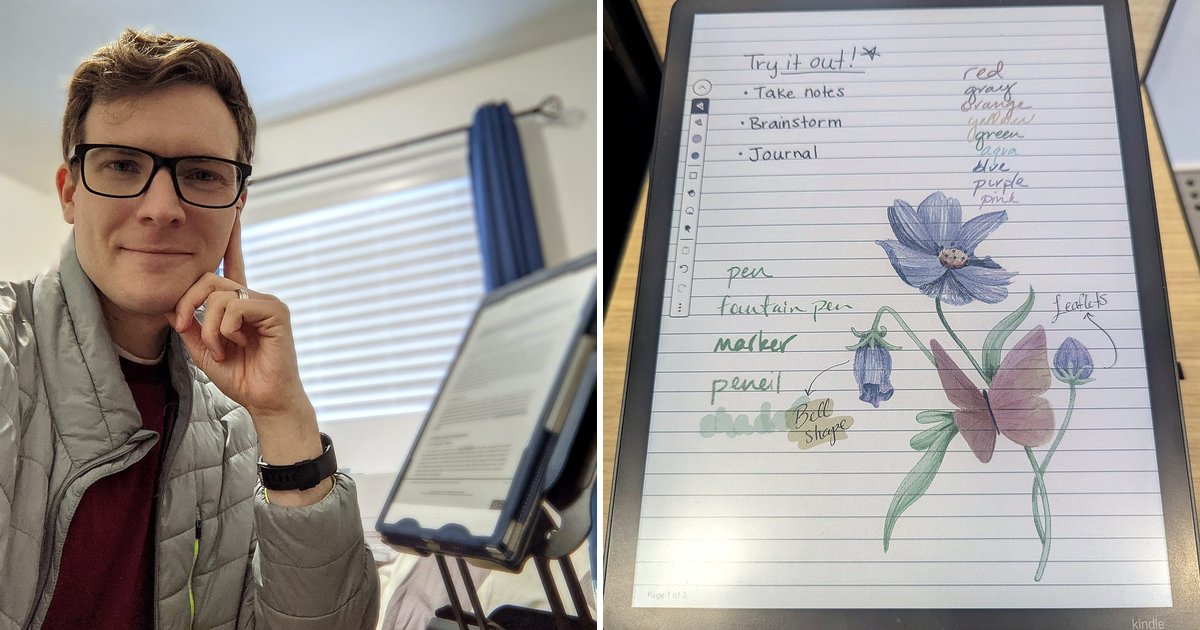
7 Best E-Ink Tablets for Note Taking & Reading (2026)
What if one device could replace every notebook, printout and sticky note on your desk, and still feel like paper? That’s the promise of an e-ink tablet, and there’s something freeing about knowing that all your notes, documents, ideas and sketches live in one place, on one device.
I’ve been using my reMarkable for six years for weekly plans, reading, journaling, meeting notes, rough sketches and studying. Before I got it, I used to stress over the growing collection of paper notebooks and journals on my bookshelves and in my attic.

But picking the best e ink tablet is harder than it looks, because they aren’t all built for the same purpose. Some are made for handwriting, some for reading, and some run full Android apps, with prices that start around $400 and climb past $600 before you add a case. Below, I compare 7 paper tablets by what each one does best, with a side-by-side table, honest trade-offs and a simple way to choose. I’ve also noted which devices I’ve used myself and which I compared using specs, the makers’ sites and owner reviews.
Disclosure: Some links in this post may be affiliate links. If you buy through them, I may earn a small commission at no extra cost to you. It never changes my picks.
How I compared these tablets
- Used hands-on: My reMarkable tablet, which I’ve used regularly since 2020, plus in-store time with the reMarkable Paper Pro, Paper Pro Move, Paper Pure and Kindle Scribe Colorsoft
- Compared on specs and owner reviews: Boox Note Air6 C, Supernote Manta, Boox Go 10.3
- What I looked at: writing feel, reading, screen, apps, subscriptions and total cost
- Prices and specs last checked: Sept. 25, 2026
What Is an E-Ink Tablet?
An e-ink tablet (also called a paper tablet or digital paper tablet) is a device with a screen that looks like printed paper instead of a glowing display. The screen reflects light the way paper does, so it’s easy to read in sunlight, and it only uses power when the page changes or when you write on it. That’s why the batteries last weeks instead of hours.
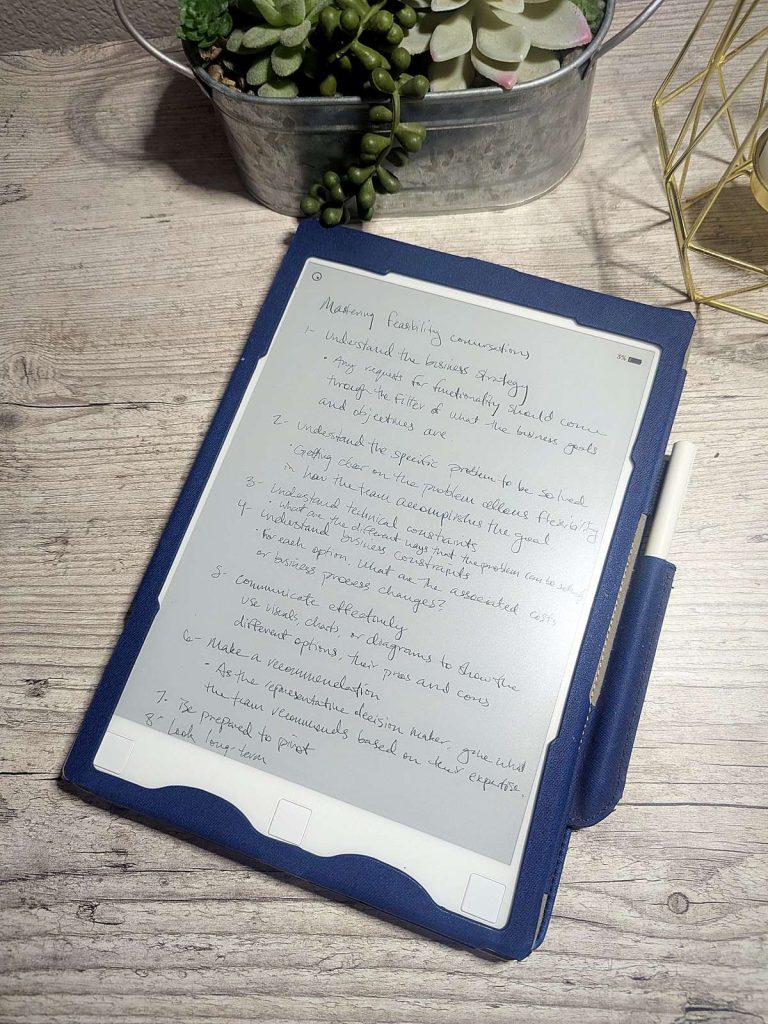
Most e-ink tablets come with a pen, so you can take handwritten notes, mark up PDFs and read ebooks all on one device. Some skip apps, email and notifications on purpose so you can focus, while others run Android so you can bring your favorite apps along.
First, Decide: Do You Need Color?
Before you compare brands, answer one question: do you need color? It’s the biggest price jump in this category. Three of the big brands sell a color tablet alongside a similar black-and-white one, which makes it easy to see what color costs you:
| Brand | Color | Black and white | You save |
|---|---|---|---|
| reMarkable | Paper Pro (~$680) | Paper Pure (~$400) | ~$280* |
| Amazon | Kindle Scribe Colorsoft (~$630) | Kindle Scribe (~$500) | ~$130 |
| Boox | Note Air6 C (~$580) | Go 10.3 Gen II Lumi (~$450) | ~$130 |
*Approximate list prices at the time of writing. The Paper Pro also adds a front light and a bigger screen, so not all of that gap is color.
Color is worth paying for if you highlight and mark up PDFs, color-code a planner, study with charts and diagrams, or read comics and magazines. If you mostly take notes, journal or read books, you can save your money. In six years with a black-and-white reMarkable, the only time I’ve missed color is when highlighting documents. You can pick a highlight color, but on a black-and-white screen it shows up as plain gray until you export the file to a device that shows color. It’s a little boring, but I don’t highlight much, so I could easily go without it.
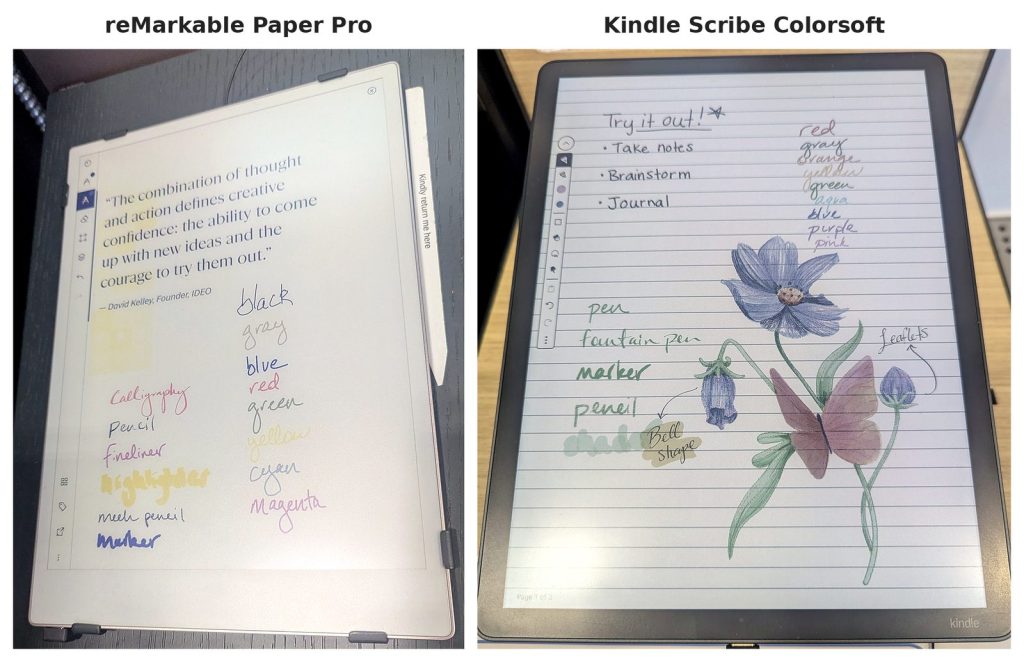
When I tried the color models side by side at Best Buy, it was clear that not all color e-ink is equal. The reMarkable Paper Pro’s colors looked muted, and each stroke appears in black first before changing color. The Kindle Scribe Colorsoft’s colors were much truer and showed up with no lag at all, which makes it the one color tablet I’d splurge on. And if you’re skipping color altogether, the reMarkable Paper Pure is very attractive, because its black-and-white screen has more brilliant contrast than any of the color displays.
What Are the Best E-Ink Tablets?
The best e-ink tablet for most people is the Kindle Scribe Colorsoft, thanks to its true-to-life color, smooth writing and built-in AI tools. If you love a paper-like feel, get the reMarkable Paper Pro, and if you want Android apps, get a Boox. Don’t need color? The reMarkable Paper Pure gives you reMarkable’s writing feel for about $400.
Here’s how the 4 color picks compare:
| Tablet | Best for | Screen | Front light | Pen included | Subscription | Apps | Weight | List price (approx.) |
|---|---|---|---|---|---|---|---|---|
| Kindle Scribe Colorsoft | Best overall + reading | 11″ | Yes | Yes | None | Kindle store only | 400 g | ~$630 |
| reMarkable Paper Pro | Paper-like writing feel | 11.8″ | Yes | Yes | Optional ($39.90/yr for sync + search) | None (closed) | 525 g | ~$680 |
| Boox Note Air6 C | Android apps | 10.3″ | Yes | Yes | None | Android + Google Play | ~440 g | ~$580 |
| reMarkable Paper Pro Move | Portability | 7.3″ | Yes | Yes | Optional ($39.90/yr for sync + search) | None (closed) | 230 g | ~$500 |
And here’s how the 3 black-and-white picks compare:
| Tablet | Best for | Screen | Front light | Pen included | Subscription | Apps | Weight | List price (approx.) |
|---|---|---|---|---|---|---|---|---|
| reMarkable Paper Pure | Best value for writing | 10.3″ | No | Yes | Optional ($39.90/yr for sync + search) | None (closed) | 360 g | ~$400 |
| Supernote Manta | No subscription / privacy | 10.7″ | No | No (sold separately) | None | None (closed) | ~375 g | ~$500 |
| Boox Go 10.3 (Gen II) Lumi | Reading PDFs + Android on a budget | 10.3″ | Yes | Yes | None | Android + Google Play | ~364 g | ~$450 |
Prices are approximate list prices at the time of writing and change often, so tap “Check Price on Amazon” for today’s price. Weights are the tablet alone, from each maker’s spec page. On phones, these tables scroll sideways.
The Color Picks
These four cost more, but color pays off if you highlight, plan in color, or read charts and comics.
1. Amazon Kindle Scribe Colorsoft
Best overall (and best for readers)
This may be an unpopular opinion from someone who has loved his reMarkable for six years, but if I were buying today, I’d get the Kindle Scribe Colorsoft. It’s a full Kindle with an 11-inch color screen, a front light, and a pen that clips on magnetically and never needs charging. The pen comes in the box, too, which matters when rivals charge about $80 or more for theirs.
What won me over at Best Buy was the color. It looks real, far truer than on the reMarkable Paper Pro, and it shows up instantly as you write. I almost didn’t believe it was an e-ink screen, and Engadget also found its colors brighter and more saturated than the Paper Pro’s.
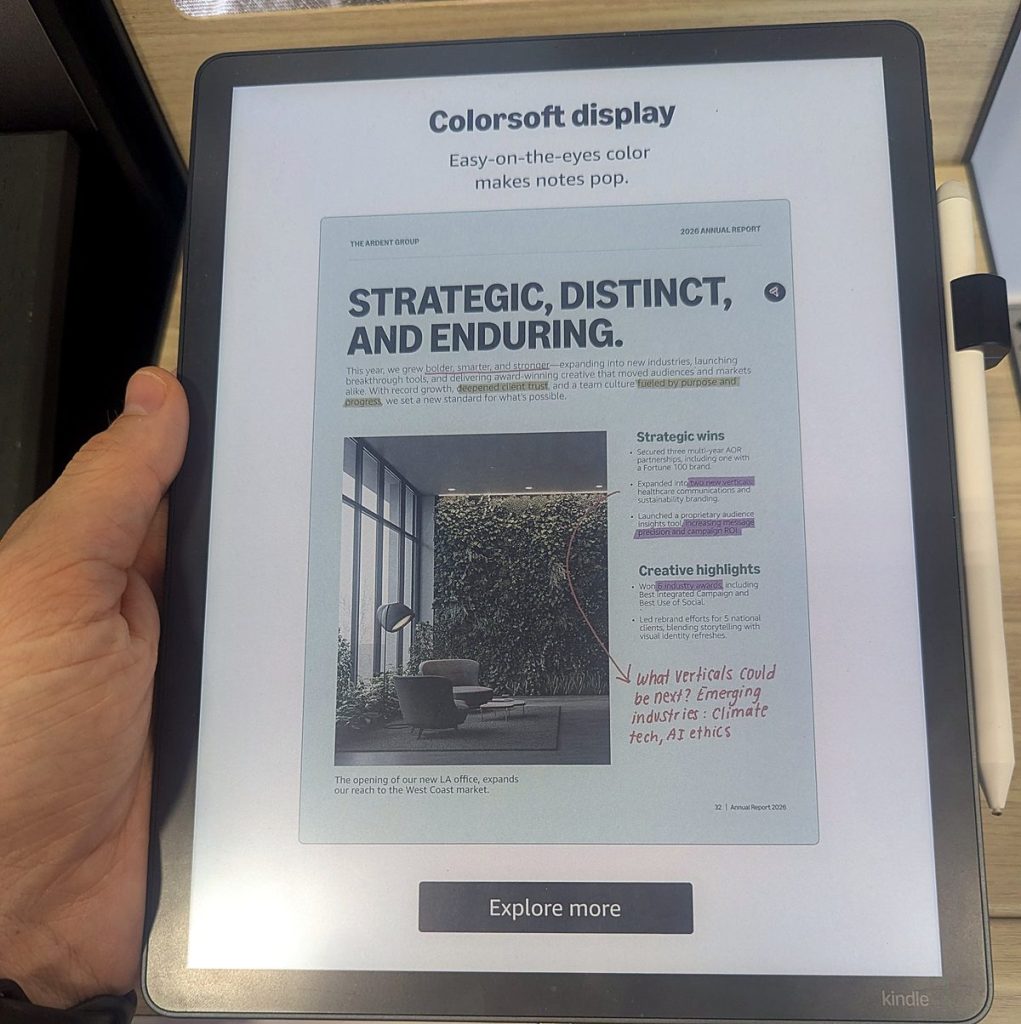
Writing feels different, but in a good way. Where reMarkable feels like writing with a pencil, the Scribe feels like writing with a marker. Some people prefer the pencil feel, but I found the Colorsoft very pleasant to write on, and it never lagged, even in color. On top of that, the 2025 Scribe lineup has AI tools built in that can search across your handwritten notebooks, summarize them and help refine your notes, all without a subscription.
Pros
- Best color of the tablets I tried, with no lag when writing in color
- The whole Kindle store, plus notes on your books
- Pen included; Google Drive, OneDrive and OneNote support; no subscription
Cons
- About $630, one of the pricier picks (though about $50 less than the Paper Pro)
- Notebook templates and page tools are more basic than reMarkable or Supernote
- You’re tied to Amazon’s ecosystem
Want to save money? Get the black-and-white Kindle Scribe, which has the same 11-inch size, front light and pen for about $130 less. There’s also a model without a front light that costs less still, but I’d pay extra for the light.
2. reMarkable Paper Pro
Best for a paper-like writing feel
If you love the feel of pen on paper, the Paper Pro is still the one to get. It has a big 11.8-inch color screen, a built-in reading light, and the textured, slightly scratchy surface reMarkable is known for. reMarkable says the pen-to-ink distance is under 1 mm, so your lines show up right under the tip.
The reading light is what makes the newer reMarkables worth the price for me. My reMarkable 1 doesn’t have one, and I hate having to use another light to see what I’m doing, especially when writing or reading at night. The Paper Pro solves that with an adjustable front light. Its 11.8-inch screen is also the largest of these picks, which makes it great for PDFs and letter-size documents, and like every reMarkable, it has no apps, email, browser or notifications to pull you away. That’s the point.
The color is the part I’d skip. In the store, it didn’t add much value for me, and because color strokes show up in black first and change color a moment later, writing in color felt trippy enough to steer me away from it as my top pick.
Pros
- The paper-like feel unique to the reMarkable lineup
- Largest screen of the picks
- Clean, simple, distraction-free software
Cons
- About $680, and $800 or more with a folio
- Cloud sync, handwriting search and AI tools need reMarkable Connect ($3.99/month or $39.90/year)
- Color lags behind your pen, and the colors look muted
Want to save money? Get the reMarkable Paper Pure for about $400. You save roughly $280 and keep the same writing feel, though you give up color, the front light and the bigger screen.
3. Boox Note Air6 C
Best for Android apps + color
Boox tablets run Android, so you can install apps from Google Play and keep Kindle, Kobo, Libby, OneNote, Notion and more on a single e-ink screen. The Note Air6 C is Boox’s newest 10.3-inch color model, launched in September 2026 at about $580. According to Android Authority, it pairs a Kaleido 3 color screen with Android 16 and a front light with warm and cool tones, and the BOOX Pen3 stylus comes in the box.
Pros
- Runs almost any reading or note app
- Color for comics, charts and highlights
- Stylus included
Cons
- More settings to learn; it feels more like a tablet than a notebook
- Color screens look a bit dimmer and less sharp for black text than black-and-white ones
- Apps and notifications can pull you out of focus mode
Want to save money? Get the Boox Go 10.3 (Gen II) Lumi and save about $130. It runs the same apps on a sharper black-and-white screen.
4. reMarkable Paper Pro Move
Best portable paper tablet (but not for me)
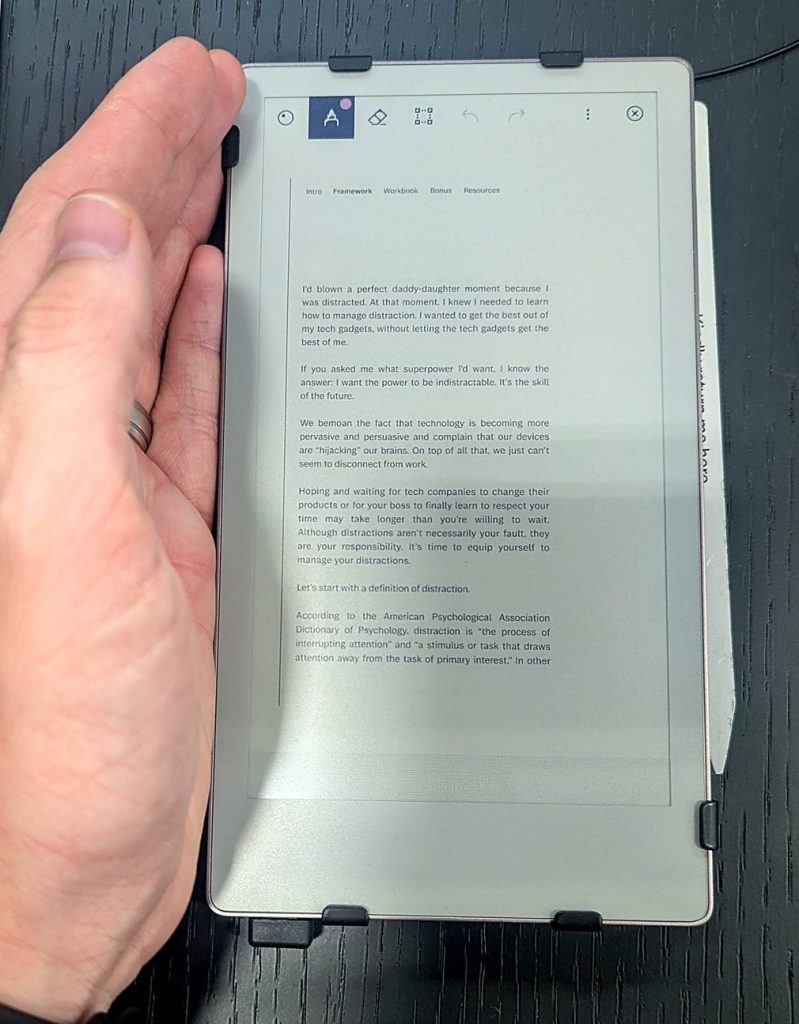
The Paper Pro Move shrinks the Paper Pro down to a 7.3-inch color screen. At about 230 grams, it weighs less than half as much as the big Paper Pro and fits in a jacket pocket or small bag. It keeps the color screen and front light, lasts up to two weeks on a charge (a 10-minute charge gives you about three days), and costs about $500.
My honest take is that I didn’t like it. In person, it felt too small to be useful, and the text on most documents was too small to read clearly. I’d only use it as an on-the-go notepad, and at that size I’d rather just use my phone. It’s not a form factor I’d buy, but if pocketability matters most to you, it’s the best small option.
Pros
- Easy to carry everywhere
- Same software as the Paper Pro
- Cheaper than the big Paper Pro
Cons
- Small canvas for long notes, sketches or letter-size PDFs
- Adding a folio pushes the price higher still
- Same Connect subscription question as other reMarkables
Want to save money? There’s no small black-and-white reMarkable, so the Move is the only pocket-size option in the lineup. If you don’t need to carry it everywhere, the 10.3-inch Paper Pure costs about $100 less.
The Black-and-White Picks
Skip color and you save money, get sharper text and often longer battery life. For notes, journaling and reading books, black and white is all you need.
5. reMarkable Paper Pure
Best value for writing (black and white)
The Paper Pure replaced the reMarkable 2 in May 2026, and at about $400 with the Marker, it’s the cheapest way to get reMarkable’s writing feel. It keeps the black-and-white 10.3-inch screen but upgrades nearly everything inside. reMarkable says zooming and page turns are up to twice as fast as on the reMarkable 2 and screen contrast is 20% higher, and it now has 32 GB of storage (up from 8 GB) and up to three weeks of battery life.
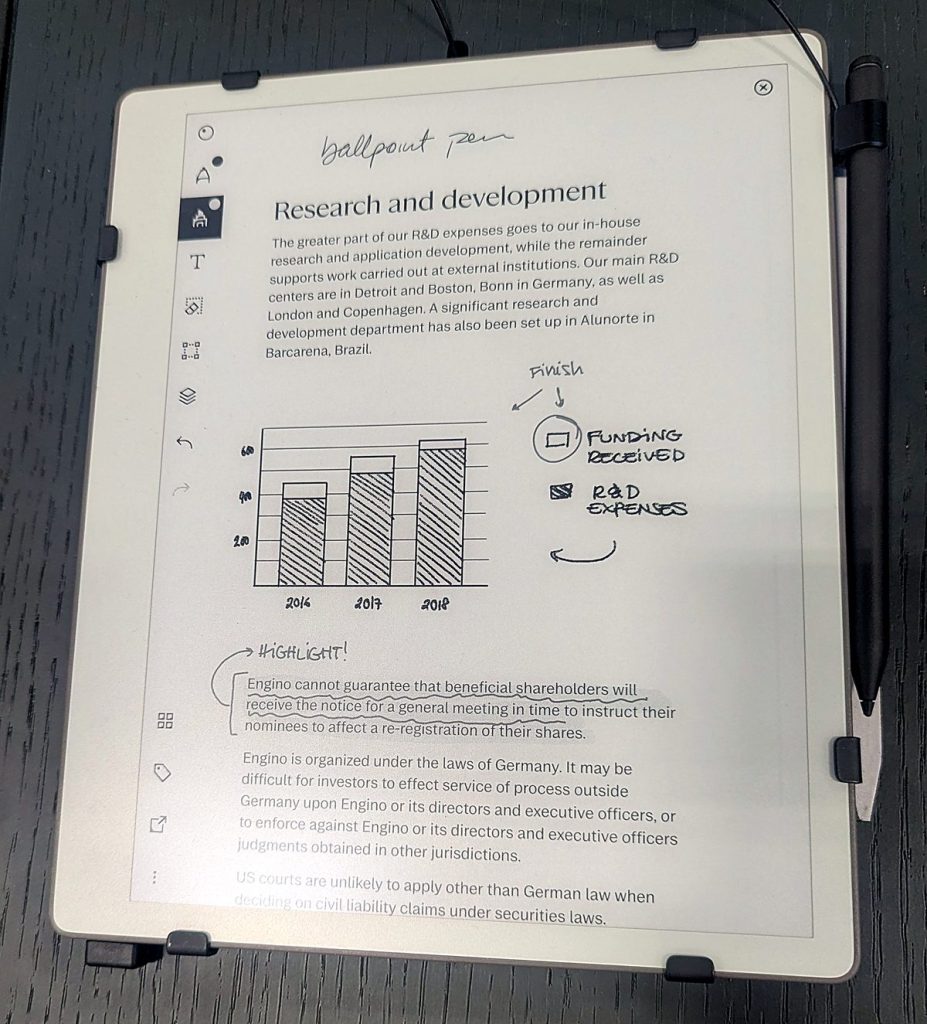
Having no front light may be a deal-breaker for some people. If I were buying today, I’d want one so I could keep writing and reading at night. That said, I’ve lived without it for six years on my original reMarkable, so it’s something you can get used to.
Pros
- Lowest price in reMarkable’s lineup
- Crisp, high-contrast screen that looked more brilliant than the color displays
- No lag when writing, and handwriting-to-text is free
Cons
- No reading light
- No color
- Connect subscription still needed for cloud sync and search
6. Supernote Manta
Best for privacy and no subscription
Supernote is the pick for people who want a writing tablet with no strings attached. There’s no subscription, cloud sync is optional and free, and handwriting recognition runs offline right on the device. The Manta has a sharp 10.7-inch, 300 PPI black-and-white screen and a ceramic nib that Supernote says never needs replacing. It’s also built to last, with a replaceable battery and an upgradable motherboard, and it lets you link your notes together with headings, keywords and links.
Pros
- No subscription for any feature
- Sharp, large screen for writing
- Built to last and be repaired
Cons
- No front light (Supernote left it out on purpose to keep the writing feel)
- Smaller brand, with fewer cases and accessories in US stores
- About $500 on Supernote’s site, and the pen is sold separately
7. Boox Go 10.3 (Gen II) Lumi
Best for reading PDFs and Android apps on a budget
The Go 10.3 Gen II is a thin, black-and-white Android tablet that suits people who read a lot of PDFs, articles or ebooks from several stores and want to jot notes too. It runs Android 15 and comes in two versions, the Lumi with a front light or a slightly cheaper base model without one, and both include the stylus.
Pros
- Black-and-white screen is sharper for text than color e-ink
- Runs Kindle, Kobo, Libby and other reading apps
- Front light for reading at night (Lumi model), and the stylus is included
Cons
- No color
- Android means more setup, and Boox’s notes app has lots of menus and settings to learn
How I Chose These E-Ink Tablets
After six years of regular use on my reMarkable 1, here’s what I think matters most, in order.
1. Color or black and white. Decide this first, because it sets your budget and cuts your options in half (see “Do You Need Color?” above).
2. Writing feel and lag. reMarkable feels like writing with a pencil and the Kindle Scribe feels like writing with a marker, but that difference isn’t big enough to base your decision on. Lag matters more. reMarkable’s color models lag when you write in color, which can be disorienting, though they don’t lag in black and neither do the black-and-white reMarkables. The Scribe doesn’t lag at all.
3. Reading. Think about where your books come from. Kindle buyers should lean toward the Scribe, library and multi-store readers should look at Boox or Kobo, and anyone who reads a lot of PDFs will want a big screen.
4. Screen size and light. Bigger screens (10.3 inches and up) are better for PDFs and full-page notes, and a front light matters if you read or write in the evening.
5. Focus vs flexibility. reMarkable and Supernote run no apps, so there’s nothing to distract you. Boox runs Android, so you can do almost anything, including get distracted.
6. Subscriptions. reMarkable’s cloud sync, search and AI tools need Connect ($39.90/year), while Kindle, Boox and Supernote include free cloud sync. Boox, for example, gives you 10 GB of free cloud storage.
7. Total cost. Add up the tablet, pen and case. At reMarkable, a pen can cost about $80 or more and a folio about $70 or more, while the Kindle Scribe and most Boox tablets include the pen and Supernote sells its pens separately.
Which E-Ink Tablet Should You Buy?
Still stuck? Start with color, then match your main use to a pick.
If you want color:
- You want the best all-around tablet for reading and notes: Kindle Scribe Colorsoft
- You love a paper-like writing feel: reMarkable Paper Pro
- You want apps (Libby, OneNote, Kobo): Boox Note Air6 C
- You want something you’ll carry everywhere: reMarkable Paper Pro Move
If black and white is enough:
- You want reMarkable’s writing feel for less: reMarkable Paper Pure
- You read Kindle books on a budget: the black-and-white Kindle Scribe
- You refuse to pay a subscription: Supernote Manta
- You read lots of PDFs and want apps: Boox Go 10.3 (Gen II) Lumi
Conclusion
The best e-ink tablet is the one that matches how you’ll actually use it. For most people, that’s the Kindle Scribe Colorsoft, the tablet I’d switch to after six years on a reMarkable. If you love the feel of paper, get the reMarkable Paper Pro. On a budget, the Paper Pure gives you reMarkable’s writing feel for about $400, and the black-and-white Kindle Scribe saves you money on Amazon’s side. Whichever you choose, decide on color first, since it’s the easiest way to save a couple hundred dollars.
When I got my reMarkable, I stopped reaching for notebooks right away, and it gave me a lot of mental rest to know I could grab the same device for everything. Over time, though, I think every tablet user ends up wanting real paper for some things. I’ve gone back to paper journals for keepsake writing and quick throwaway notes, and my reMarkable handles the rest.
Have a question about any of these tablets? Leave a comment below and I’ll help you pick.
FAQ
Is e-ink actually better for your eyes?
For long reading sessions, it seems to be. In a small 2013 study published in PLOS ONE, people reported more eye fatigue reading on an LCD tablet than on an e-ink Kindle, and e-ink scored about the same as a paper book. Not every study agrees, so think of e-ink as easier on your eyes rather than a cure for eye strain.
What is the cheapest e-ink tablet?
Of the picks above, the reMarkable Paper Pure (about $400) is the cheapest, followed by the Kindle Scribe without a front light. Smaller tablets with a stylus cost less, like the 7-inch Boox Go 7, but you’ll trade screen space for the savings.
Why are e-ink tablets so expensive?
They’re a niche product made in much smaller numbers than phones or iPads, so costs stay high. They also need a special pen layer on top of the e-ink screen to make writing feel instant.
Is there a difference between E Ink and e-paper?
Yes. E Ink is a brand name for the company that makes most of the e-paper screens in these tablets, while e-paper (or ePaper) is the general term for any screen that looks like ink on paper and only uses power when the image changes.
Are e-ink writing tablets worth it?
They’re worth it if you write by hand a lot and want your notes organized, searchable and in one place. They’re not worth it if you need video, web browsing or a general-purpose tablet, since an iPad does those far better. For me, it replaced a growing pile of paper notebooks and journals on my bookshelves and in my attic.
Why was the reMarkable 2 discontinued?
reMarkable replaced it with the Paper Pure in May 2026, and the reMarkable 2 is now listed as discontinued on reMarkable’s site. The Paper Pure keeps the same black-and-white screen size but is faster, has more storage and lasts longer on a charge.
Sources
I checked specs, prices and features against the makers’ own pages, plus the research behind the eye-strain answer above. Hands-on impressions come from my own reMarkable and my Best Buy visit.
- reMarkable Paper Pro product page
- reMarkable tablet comparison (specs and weights)
- reMarkable Paper Pure features and specs
- reMarkable Connect subscription pricing
- reMarkable 2 product page (discontinued)
- Amazon: redesigned Kindle Scribe lineup announcement
- BOOX Note Air6 C product page
- BOOX Go 10.3 (Gen II) product page
- BOOX: Onyx Cloud free storage
- Supernote Manta product page
- Benedetto et al., “E-Readers and Visual Fatigue,” PLOS ONE (2013)