reMarkable vs iPad for Note Taking: A 6-Year Owner’s Take
Tap, tap, tap. That was the first thing I noticed when I sat down at the kitchen table to write a page of notes on my wife’s iPad. Every stroke of the Apple Pencil made a hard little click against the glass, and after six years of writing on a reMarkable, where the pen makes the soft scratch of a pencil on paper, that sound was impossible to ignore.
If you’re weighing the reMarkable vs iPad for note taking, here’s the short answer. A reMarkable is the better notebook, and an iPad is the better computer. If you mostly want to write (meeting notes, journals, study notes, plans) and you want to think clearly while you do it, the reMarkable wins easily. If you want color, drawing and painting apps, video, typing and one device for everything, the iPad is the more useful machine, and it can take notes when you need it to. Many people asking this question already own an iPad, and for them the real question is whether a paper tablet is worth adding. For anyone who writes a lot, I think it is.
That matters more now than it did a few years ago, because both lineups have changed. The reMarkable 2 that most comparisons are built around was discontinued in May 2026 and replaced by the reMarkable Paper Pure, and Apple’s cheapest iPad is now an 11-inch model with the A16 chip. So a lot of what you’ll find on this topic points you at devices you can’t buy new anymore.
I’ve written on a reMarkable 1 almost every day since 2020: weekly plans, meeting notes, study notes, rough sketches and an evening journal. For this comparison, I wrote the same page of notes on my reMarkable and on my wife’s 9th-generation iPad with a first-generation Apple Pencil (no matte screen protector), then used both the way I normally would. I also tried the newest reMarkable Paper Pro and Paper Pure in person at Best Buy. If you’re new to all of this, my beginner’s guide to paper tablets explains how they work, my roundup of the best e-ink tablets covers seven of them, and my Kindle Scribe vs reMarkable comparison is worth reading if you also read a lot of ebooks.
Disclosure: Some links in this post may be affiliate links. If you buy through them, I may earn a small commission at no extra cost to you. It never changes my picks.
reMarkable vs iPad: The Quick Answer
If you only read one section, make it this one.
- Best for focused writing: reMarkable Paper Pure (about $400, pen included). It feels the closest to paper, has no apps or notifications to pull you away, and runs for weeks on a charge.
- Best for writing with color and a light: reMarkable Paper Pro (about $680). Same focus, plus a color screen and a front light for writing at night.
- Best if you want one device for everything: iPad (A16) with an Apple Pencil (about $530 together). It takes notes, but it also paints, streams, browses and types.
- Best iPad for note taking: iPad Air (M4) with Apple Pencil Pro (about $880 together). Its laminated, antireflective screen and pressure-sensitive pencil make writing noticeably better than on the base iPad.
| reMarkable Paper Pure | reMarkable Paper Pro | iPad (A16) | iPad Air 11″ (M4) | |
|---|---|---|---|---|
| Price (approx.) | ~$400 | ~$680 | $449 | $749 |
| Pen | Marker included | Marker included | Apple Pencil USB-C, ~$79 extra | Apple Pencil Pro, ~$129 extra |
| Does the pen need charging? | No | No | Yes | Yes |
| Screen | 10.3″ black-and-white e-ink | 11.8″ color e-ink | 11″ LCD | 11″ LCD |
| Screen surface | Textured, paper-like | Textured, paper-like | Smooth glass, no antireflective coating | Smooth glass, laminated, antireflective coating |
| Light | None | Front light | Backlit | Backlit |
| Battery | Up to 3 weeks | Up to 2 weeks | Up to 10 hours | Up to 10 hours |
| Apps and notifications | None | None | Full App Store | Full App Store |
| Subscription for full features | Connect, $3.99/mo (optional) | Connect, $3.99/mo (optional) | None required | None required |
Approximate list prices, September 2026. reMarkable battery figures are for writing; Apple’s are for web browsing or video. Prices change often, so tap “Check Price” for today’s price. On phones, this table scrolls sideways.
So what’s it actually like to write on each one?
Writing Feel: Pencil on Paper vs Pen on Glass
This is the biggest difference between the two, and it showed up in the first thirty seconds.
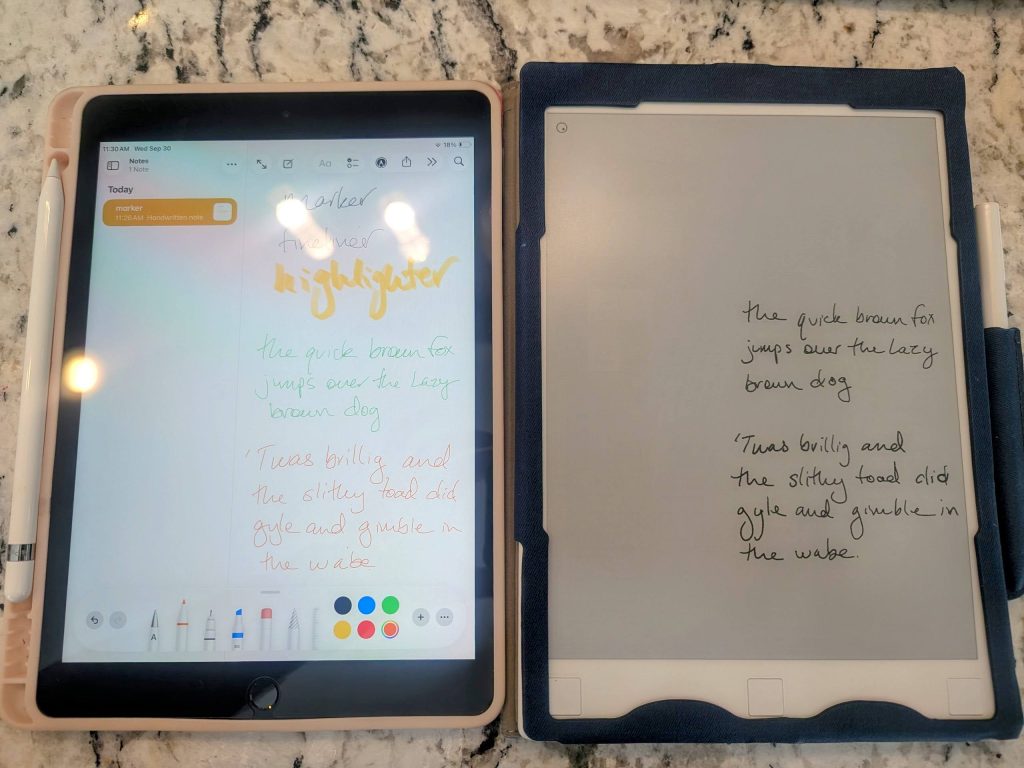
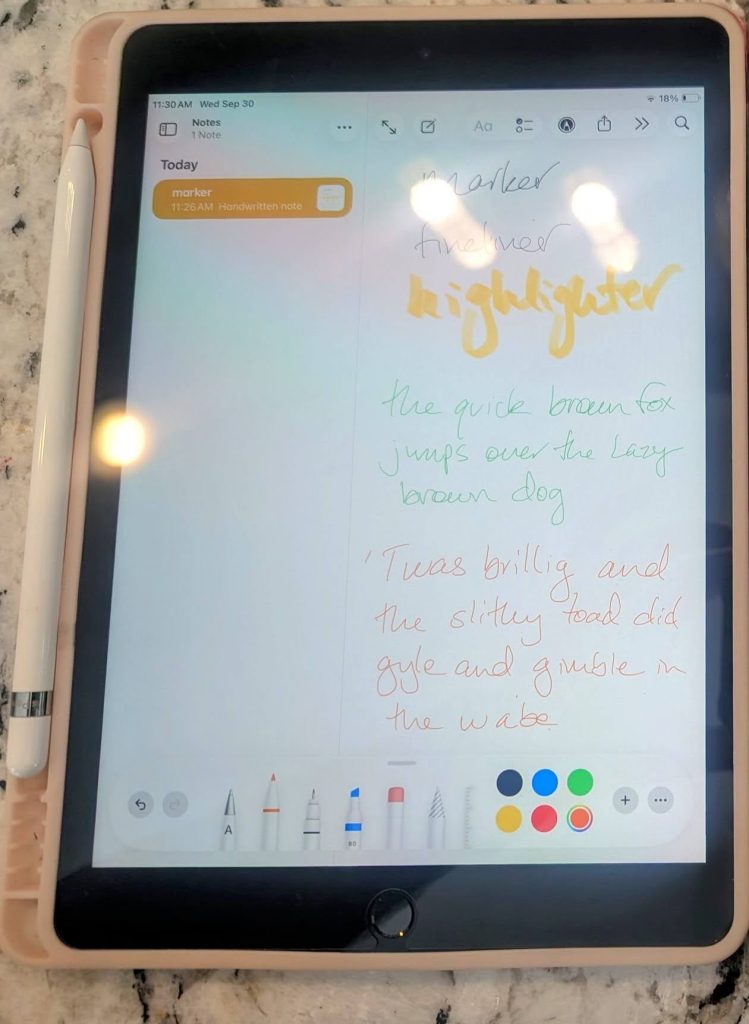
On a reMarkable, the screen has a slightly rough, matte texture, and the pen tip drags across it the way a pencil drags across paper. It’s quiet, it’s a little bit scratchy, and your hand knows exactly what to do. On the iPad, the glass is so smooth that the Apple Pencil slides wherever you let it. That sounds like it should feel effortless, but it doesn’t. Because there’s nothing to hold the tip in place, I found myself gripping the pencil harder to control every letter, and before I finished my page I had a bit of a hand cramp. My handwriting came out sloppier, too, since every stroke wanted to keep sliding a little past where I meant it to stop. And then there’s the noise. The pencil’s hard plastic tip taps loudly on glass, a steady tap-tap-tap on every letter.
Is there a fix? Partly. A lot of iPad note-takers add a matte, paper-textured screen protector to give the pencil some grip, and that does help with slipping and noise, though it also dulls the screen for everything else you use the iPad for. I tested the iPad without one, which is how most people use it. Apple’s more expensive tablets help a bit, too. The iPad Air has a fully laminated screen (so the glass sits right on top of the display instead of over a small gap) and an antireflective coating, and the Apple Pencil Pro adds pressure sensitivity that the USB-C pencil for the base iPad doesn’t have. None of that changes the basic fact that you’re writing on glass.
The difference is obvious in the photo above, even if you can’t hear it. On the reMarkable, my writing looks like my handwriting. On the iPad, it looks like my handwriting in a hurry. If writing by hand is the main reason you want a tablet, that alone is a good reason to choose the reMarkable.
But how it feels in your hand is only half of it. The other half happens in your head.
Focus: A Notebook vs a Computer
The most surprising part of my test had nothing to do with the pen. It was how differently I felt while writing.
When I write on my reMarkable, I slip into a quiet, thoughtful state that I’ve come to love. There are no bells and whistles, no apps, no notifications and no web browser. It’s just a tool that lets me get my thoughts onto “paper,” and that simplicity is what keeps me coming back every morning and every evening. On the iPad, I was keenly aware the whole time that I was holding a powerful computer that could do a hundred other things. The bright screen, the apps a swipe away and the possibility of a notification popping up at any moment all pulled me out of that creative state, even when nothing actually interrupted me.
That’s the part that spec sheets can’t show you. An iPad and a reMarkable can both put your handwriting on a screen, but they’re different mediums. One is a notebook that happens to be digital. The other is a computer that happens to accept a pen. If you get distracted easily, or if your best thinking happens when there’s nothing else competing for your attention, the reMarkable is worth buying for this reason alone.
Your Eyes: Glare, Brightness and the Color of the Page
The screens themselves are just as different as the writing feel.
An iPad has a bright, backlit LCD screen, which is wonderful for photos and video but less wonderful for a long writing session. Compared with my reMarkable, the brightness was a stark difference, and the glossy glass picked up glare even at the kitchen table. I kept tilting my head to look around the reflection of the overhead light, which gets old fast when you’re trying to write a full page. The base iPad has no antireflective coating, so this is worse on it than on the iPad Air or iPad Pro.
A reMarkable uses e-ink, which has no backlight at all. It reflects the light in the room like paper does, so glare is minimal and it’s easy to read in bright light. The page color is different, too. My reMarkable’s page is a soft, light gray, while the iPad shows a stark, bright white. I didn’t realize how much I liked that gentler page until I saw my own notes on both. The trade-off is that e-ink needs light to see, just like paper. My reMarkable 1 has no front light, so I need a lamp at night, and the new Paper Pure doesn’t have one either. If you write in the dark, the Paper Pro has a front light, and so does every iPad by default.
Ready When You Are: Charging and Battery Life
There’s one small moment from my test that says a lot about the two devices.
When I picked up the iPad to start writing, the Apple Pencil was dead. The iPad needs a charged pencil before it will take handwriting, so I had to stop and plug it in before I could write a single word. To be fair, it charges quickly (I only gave it about a minute to get started), but it was still one more step between me and my notes. The reMarkable’s Marker pen doesn’t have a battery at all. It has never needed a charge in six years, and it’s ready the moment the tablet is.
The tablets themselves follow the same pattern. Apple rates the iPad and iPad Air at up to 10 hours of web browsing or video, so you’ll charge it every day or two with regular use. reMarkable rates the Paper Pure at up to three weeks and the Paper Pro at up to two weeks. With a reMarkable, you forget about charging. With an iPad, you plan around it.
So is there anything the iPad does better? Yes, quite a lot.
Where the iPad Wins
It would be unfair to judge an iPad only on how well it imitates a notebook, because that’s a small part of what it does.
The biggest thing is creative work. I bought my wife her iPad for art, not for writing, and she uses it for digital painting apps that can do things no e-ink tablet can: hundreds of brushes, layers, blending and millions of colors on a bright screen. The same flexibility carries over to everything else. An iPad can open any note app you like (Apple Notes, GoodNotes and Notability among them), type with a keyboard, record audio alongside your notes, run video calls, stream shows and read Kindle books, magazines and comics in full color.
That’s why the reMarkable vs iPad question comes down to what you want the device for. If you want one screen that does it all, and handwriting is just one small part of your day, the iPad makes more sense. If handwriting is the whole point, the iPad is overkill that gets in the way.
Using a reMarkable and an iPad Together
You don’t actually have to choose. Plenty of people use both, and reMarkable makes that easy with its free app for iPad and iPhone.
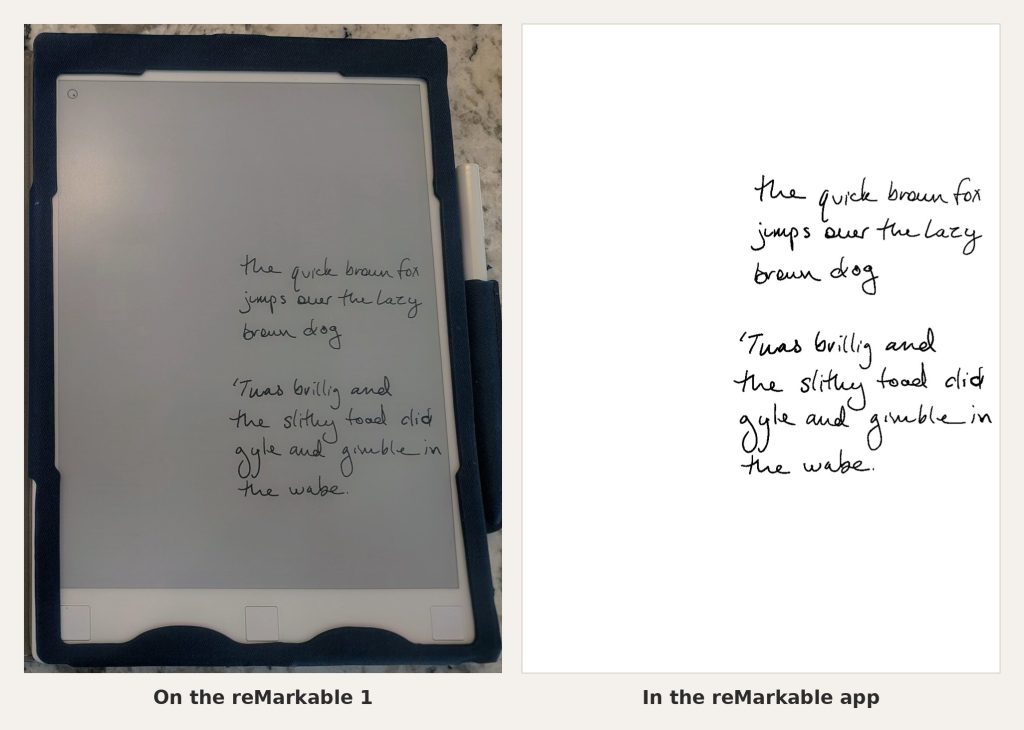
I installed the reMarkable app on my wife’s iPad to see how my notes looked, and it was a nice surprise. The colors in my documents showed up in full, which my black-and-white reMarkable 1 can’t do, and the contrast was much stronger. Instead of my tablet’s light gray page, the app shows the same notes on a crisp white background. It’s a great way to review notes, find something quickly or show a sketch to someone else.
One thing to know before you plan on this setup: viewing and organizing your notes in the app is free, but writing and editing notes inside the app requires reMarkable’s Connect subscription, which costs $3.99 a month after a 50-day free trial. Free accounts also get only limited cloud sync. So the easy pairing is a reMarkable for writing and an iPad for reading your notes back, and that works without paying anything extra.
Price: What You’ll Really Pay
On paper, the two brands cost about the same. In practice, it depends on the model and the accessories.
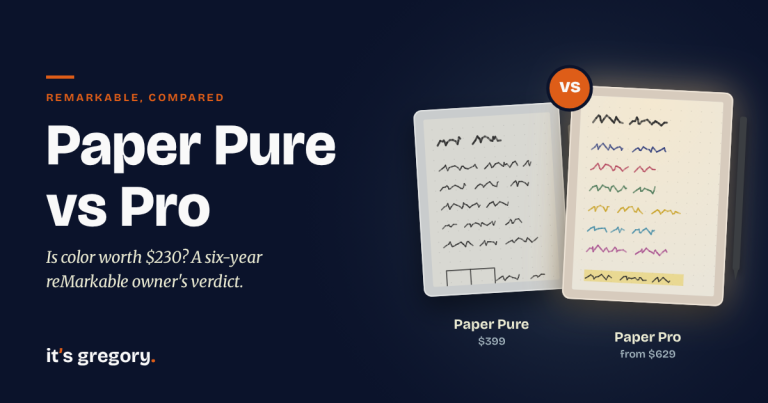
Apple raised iPad prices in June 2026, and that changes the math. The base iPad now starts at $449, and it doesn’t include a pencil. Add the Apple Pencil (USB-C) at $79 and you’re at about $530, roughly $130 more than a reMarkable Paper Pure with its pen already in the box. For the better iPad writing experience, the 11-inch iPad Air now starts at $749, and with the $129 Apple Pencil Pro it comes to about $880. That’s about $200 more than the Paper Pro (about $680 on Amazon with the Marker Plus, or from $629 direct from reMarkable with the standard Marker). Many iPad note-takers also buy a note app and a matte screen protector, which adds a little more.
On the reMarkable side, the only extra cost is Connect, which is optional. You can write, read PDFs and convert handwriting to typed text without it, but handwriting search and unlimited cloud sync need the subscription (about $40 a year on the annual plan). I have it free for life because I was an early buyer, but new owners should count it in the price if search matters to them.
So which is the better deal? For writing, the reMarkable is now the cheaper way in, even after you add a few years of Connect. If you already own an iPad, a reMarkable costs less than upgrading to a newer iPad and pencil, and it gives you something the iPad can’t. If you own neither and can only buy one, the iPad does more for the money, and the reMarkable gives you a better notebook for less.
Which Should You Buy?
After six years with a reMarkable and my own test on an iPad, here’s how I’d decide.
Choose a reMarkable if:
- You mostly want to write: notes, journals, plans, study notes
- You want writing to feel as close to paper as possible
- You get distracted easily and want a device that does one thing
- You write for long stretches and want less glare and a softer page
- You want a pen and a tablet you rarely have to charge
Choose an iPad if:
- You want one device for writing, drawing, reading, video and typing
- You draw or paint and want full color and creative apps
- You want to read Kindle books, magazines or comics in color
- You only take handwritten notes now and then
- You already own one and don’t mind writing on glass
Consider a Kindle Scribe if: you want the paper-like writing of an e-ink tablet and also read a lot of Kindle books. It sits right between the two, and I compare it in detail in my Kindle Scribe vs reMarkable guide.
For me, it isn’t close. I’ll keep using an iPad for the things an iPad is good at, but when I want to think on paper, I reach for the reMarkable.
Frequently Asked Questions
Can I use my iPad like a reMarkable?
Partly. With an Apple Pencil and a note app, an iPad can take handwritten notes, and a matte screen protector can make the glass feel a little more like paper. But it can’t match the reMarkable’s paper-like texture, glare-free e-ink screen, weeks-long battery or distraction-free design.
Does reMarkable work well with Apple devices?
Yes. reMarkable has free apps for iPad, iPhone and Mac that let you view and organize your notes, and the iPad app shows your notes in full color. Creating and editing notes in the apps requires a Connect subscription.
Is a reMarkable easier on your eyes than an iPad?
For long writing and reading sessions, most people find e-ink more comfortable. A reMarkable has no backlight and reflects room light like paper, so there’s little glare, while an iPad’s bright, glossy screen can reflect overhead lights and feel harsh after a while.
Is the reMarkable 2 still worth it in 2026?
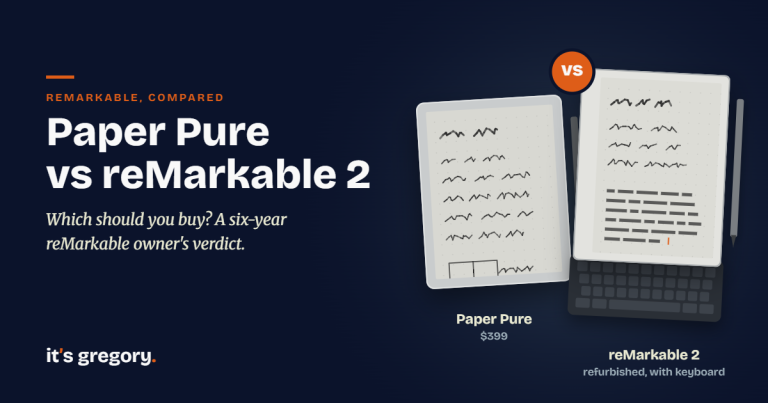
reMarkable stopped selling the reMarkable 2 new in May 2026 and replaced it with the reMarkable Paper Pure at the same launch price of about $400. Unless you find a great deal on a used one, the Paper Pure is the better buy, with a faster processor and longer battery.
Can a reMarkable replace an iPad?
Only if you mostly use your iPad for handwritten notes and reading PDFs. A reMarkable has no apps, web browser, video or color photos (the Paper Pro shows color, but softer than an iPad). It replaces a paper notebook far better than it replaces an iPad.
The Bottom Line
I sat down at the kitchen table expecting the iPad to be a decent notebook with a lot of extras. Instead, the tap-tap-tap of the pencil, the slippery glass and the glare reminded me why I switched to a reMarkable in the first place. The iPad is a remarkable computer, and my wife’s paintings prove it. But for getting my thoughts down, nothing I’ve tried beats a tablet that feels like paper and asks for nothing else.
If you want to see how the reMarkable compares with Kindle, Boox, Supernote and Kobo, check out my full guide to the best e-ink tablets. You just might find that the best tablet for your notes is the one that does less.
Sources
I checked specs, prices and features against the makers’ own pages. Hands-on impressions come from my own reMarkable, my wife’s iPad and my Best Buy visit.
- Apple Store: current iPad prices
- Apple: iPad (A16) technical specifications
- Apple: iPad Air technical specifications
- Apple: Apple Pencil models and compatibility
- reMarkable tablet comparison (specs, battery and storage)
- reMarkable Paper Pure product page
- reMarkable Paper Pro product page
- reMarkable Connect pricing and plans
- reMarkable 2 product page (discontinued)